TS7-Pro 7-inch Touch Screen
(continued from previous page)
'type': 'numeric',
'bind': getTem
},
'CPU Temp': {
'type': 'numeric',
'bind': getHum
},
}
The temperature is stored in the 'bind' of the 'Room Temp' key, and the humidity is stored in the 'bind' of the
'CPU Temp' key. When Cloud4RPi receives the variables dictionary, it will convert it into a JavaScript object
that can be recognized by the web page.
Remote Switch
In this project, we will learn to use Cloud4RPi’s Switch to control the relay, thereby controlling the relay’s load-LED.
You can also change the load of the relay to household appliances, but with safety in mind.
Experimental Procedures
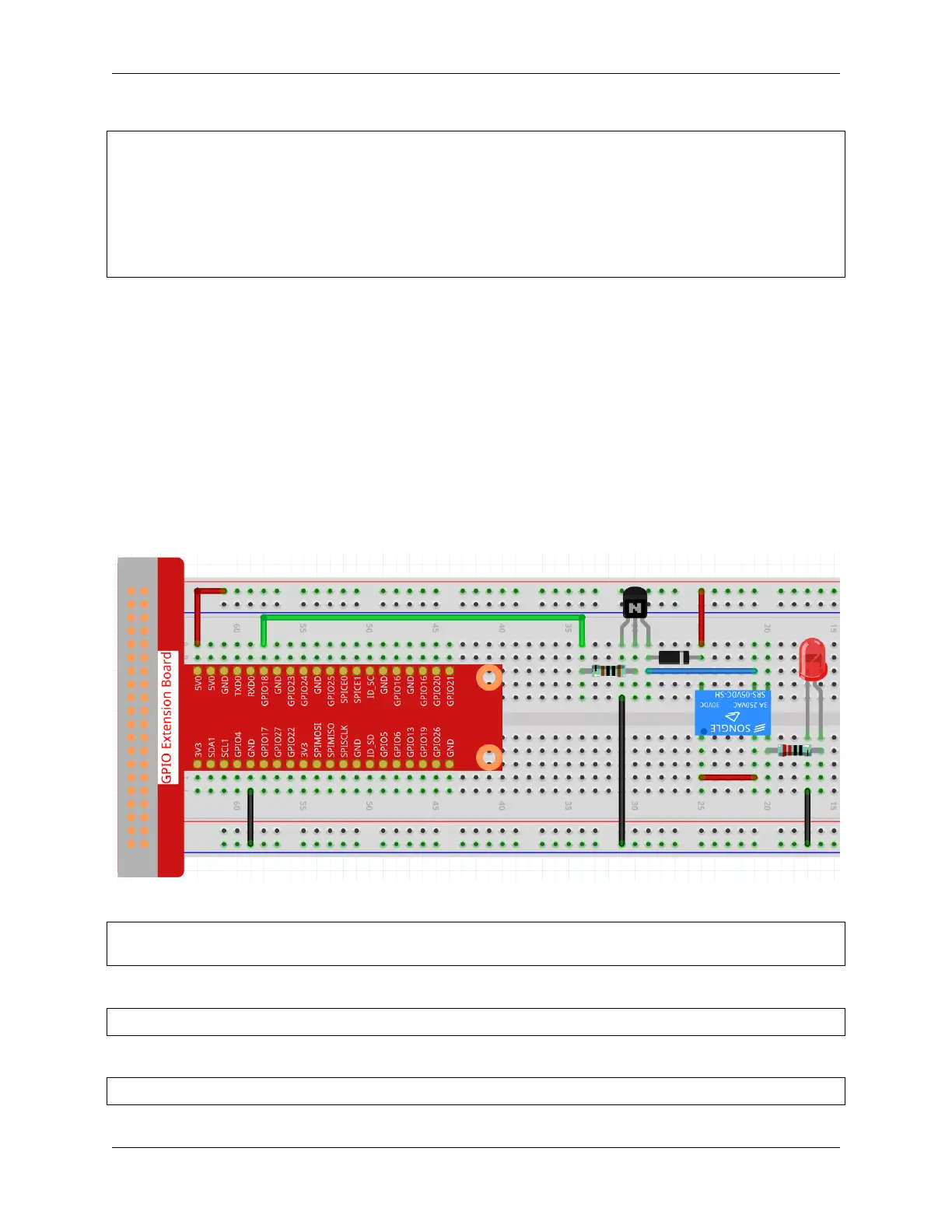
Build the circuit.
Open the code.
cd /home/pi/cloud4rpi-raspberrypi-python
sudo nano remote_switch.py
Find the line below and fill in the correct device token.
DEVICE_TOKEN = '__YOUR_DEVICE_TOKEN__'
Run the code.
sudo python3 remote_switch.py
114 Chapter 5. PROJECTS AND ACTIVITIES



 To Next Page