TS7-Pro 7-inch Touch Screen
Change the shape by clicking and record the binary value.
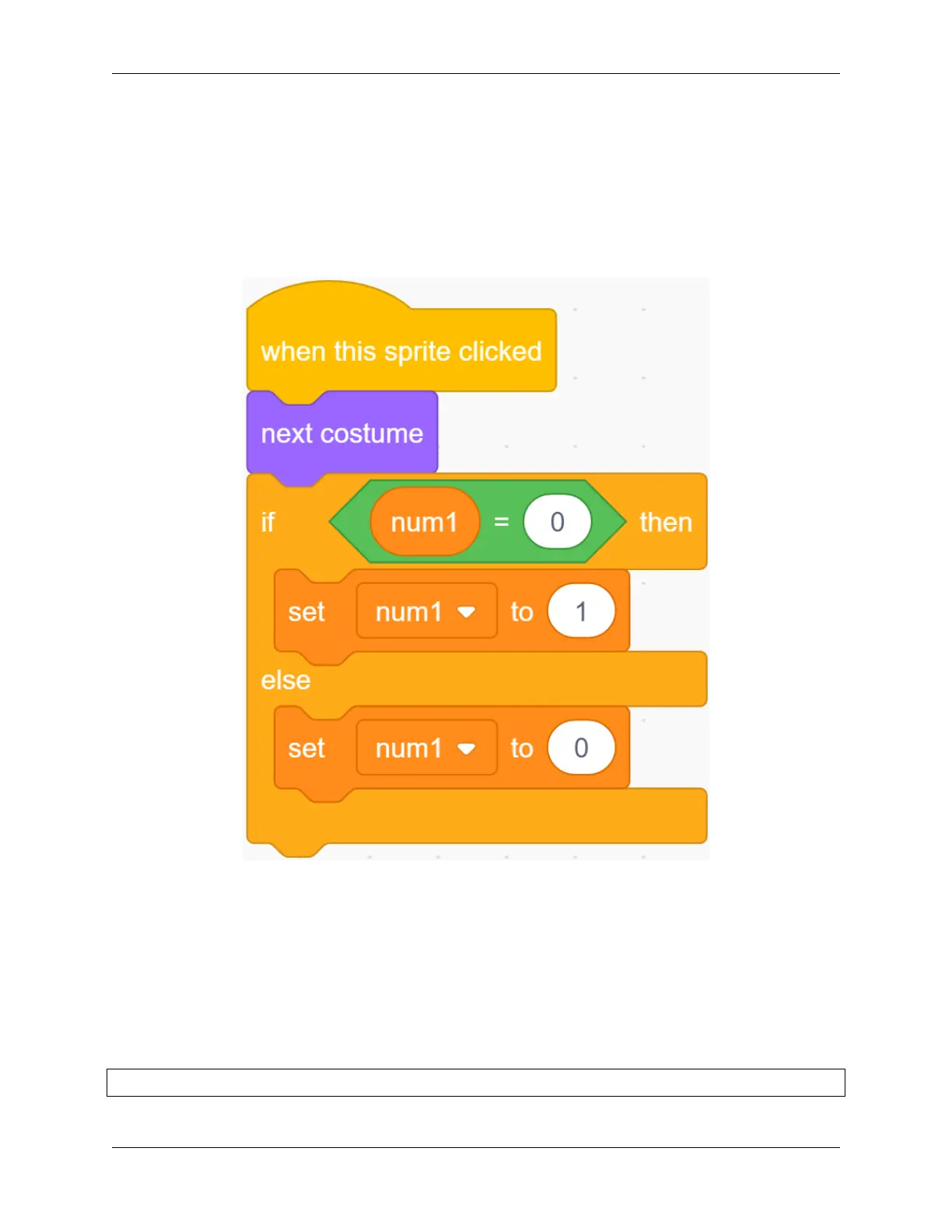
If you click the Zero sprite, it will switch its costume to the next costume, and switch the value of the variable num1,
if num1 = 0, change num1 to 1.
In this way, the num1 variable can record the value on the blackboard in real time every time the Zero sprite switches
costume.
Copy the program for the remaining three Zero sprites and modify the variable names.
Conversion of binary numbers and decimal numbers.
Before programming the Enter sprite, let’s first understand the Binary number.
A binary number is a number expressed in the base-2 numeral system or binary numeral system, which uses only two
symbols: typically “0” (zero) and “1” (one).
How to convert binary to decimal?
For binary number with n digits:
dn-1 ... d3 d2 d1 d0
5.7. Scratch Projects 177



 To Next Page