TS7-Pro 7-inch Touch Screen
Programming the Enter Sprite
After you understand the conversion of binary numbers and decimal numbers, let’s program the Enter sprite.
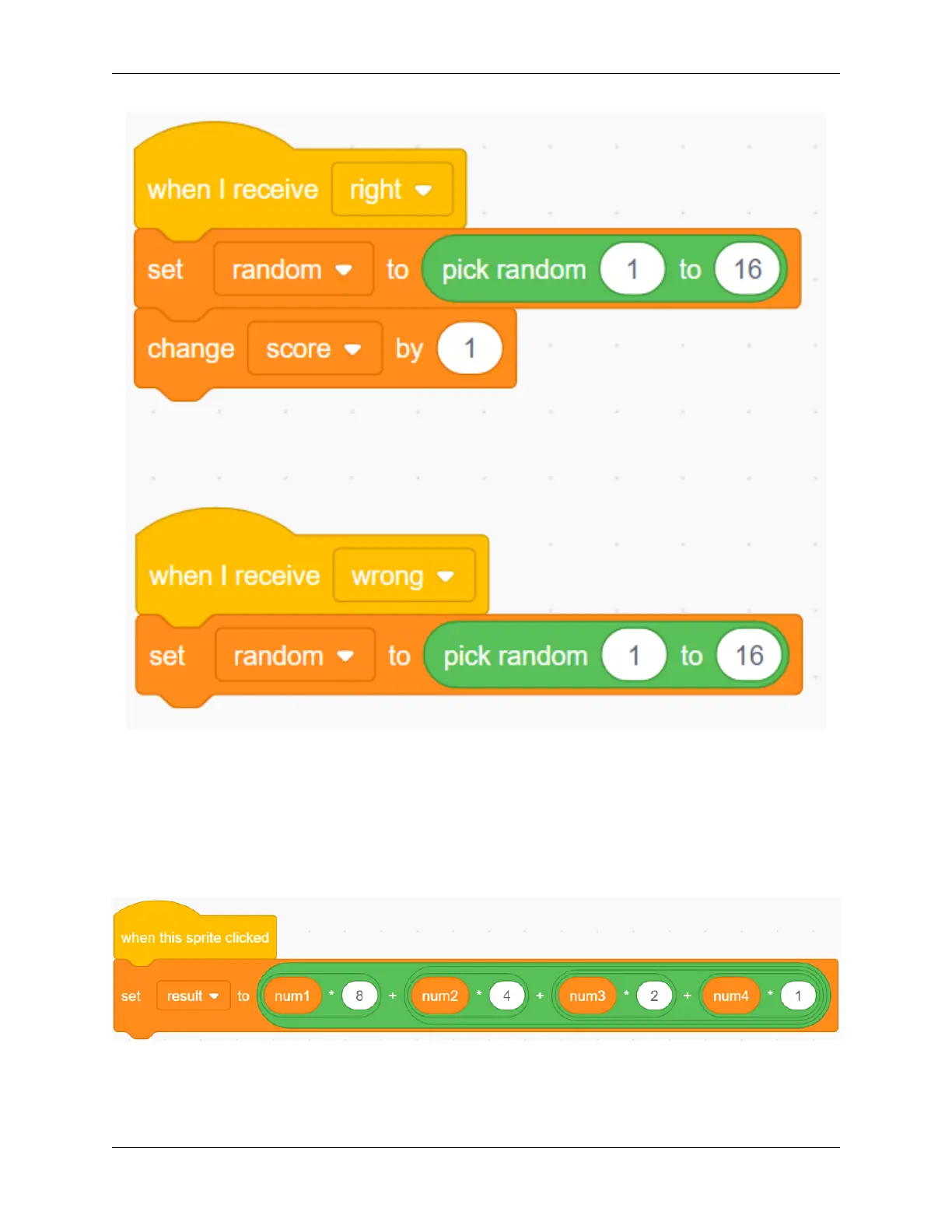
First, we create a result variable, when the Enter sprite is clicked, We convert the binary number composed of the
num1 variable, num2 variable, num3 variable and num4 variable into a decimal number, and save the result in the
result variable.
Then use the result variable to compare the value of the random variable. If they are equal, we broadcast a “right”
message, otherwise we broadcast a “wrong” message.
5.7. Scratch Projects 179



 To Next Page