TS7-Pro 7-inch Touch Screen
Lesson Guide
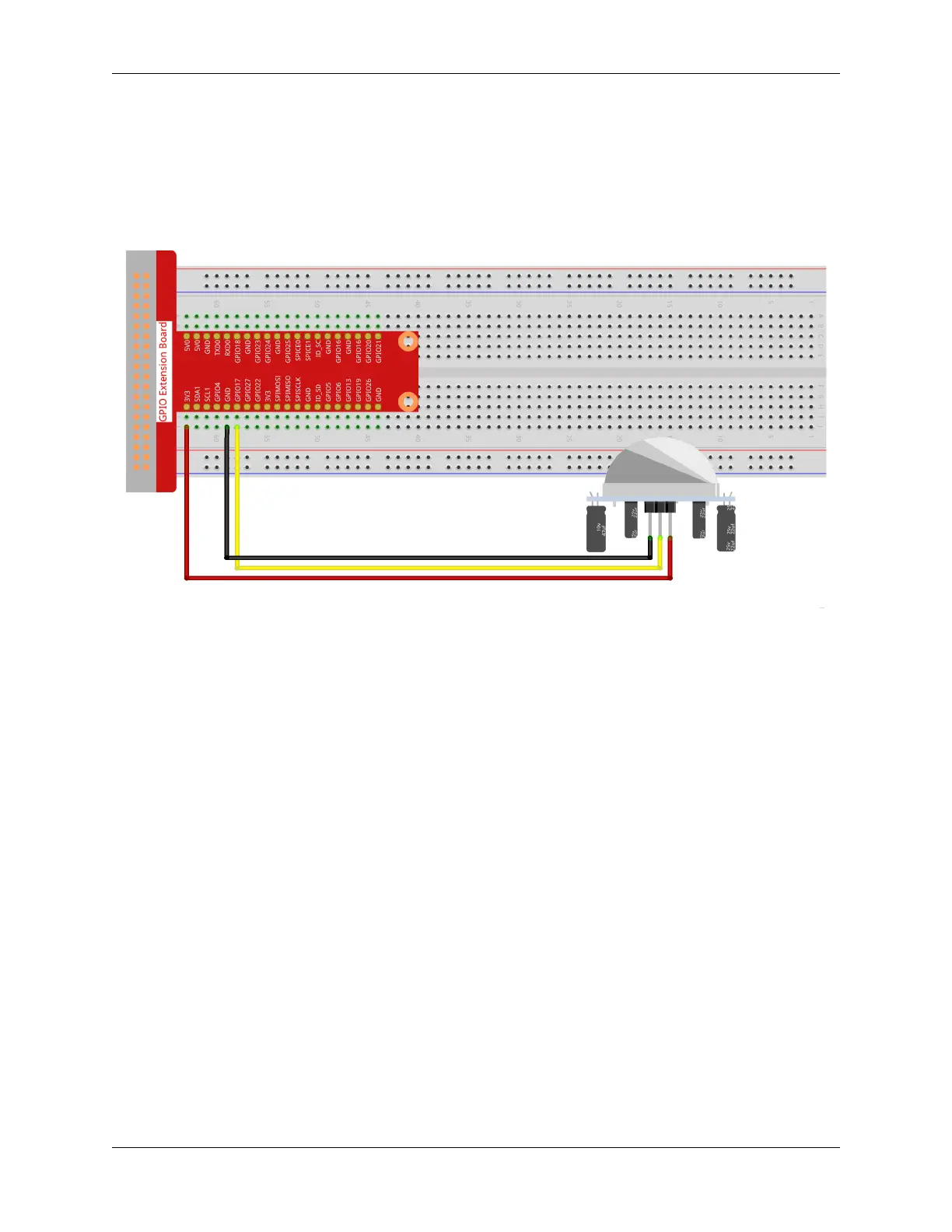
Build the Circuit
First connect the GPIO Extension Board, please read Extend GPIO to Breadboard for specific steps.
Plug the T-type GPIO extension board into the breadboard and build the circuit.
For the camera installation tutorial, please refer to Assemble and Use a Camera Module.
Programming with Scratch 3
In this step you will learn how to upload the prepared music to the Scratch. Tap the “Sounds”option on the left upper
cornerthen tap the “speaker” icon and choose “Upload Sound” icon to upload the prepared music file - hello, finally
tap“Open” to confirm.
216 Chapter 5. PROJECTS AND ACTIVITIES



 To Next Page