TS7-Pro 7-inch Touch Screen
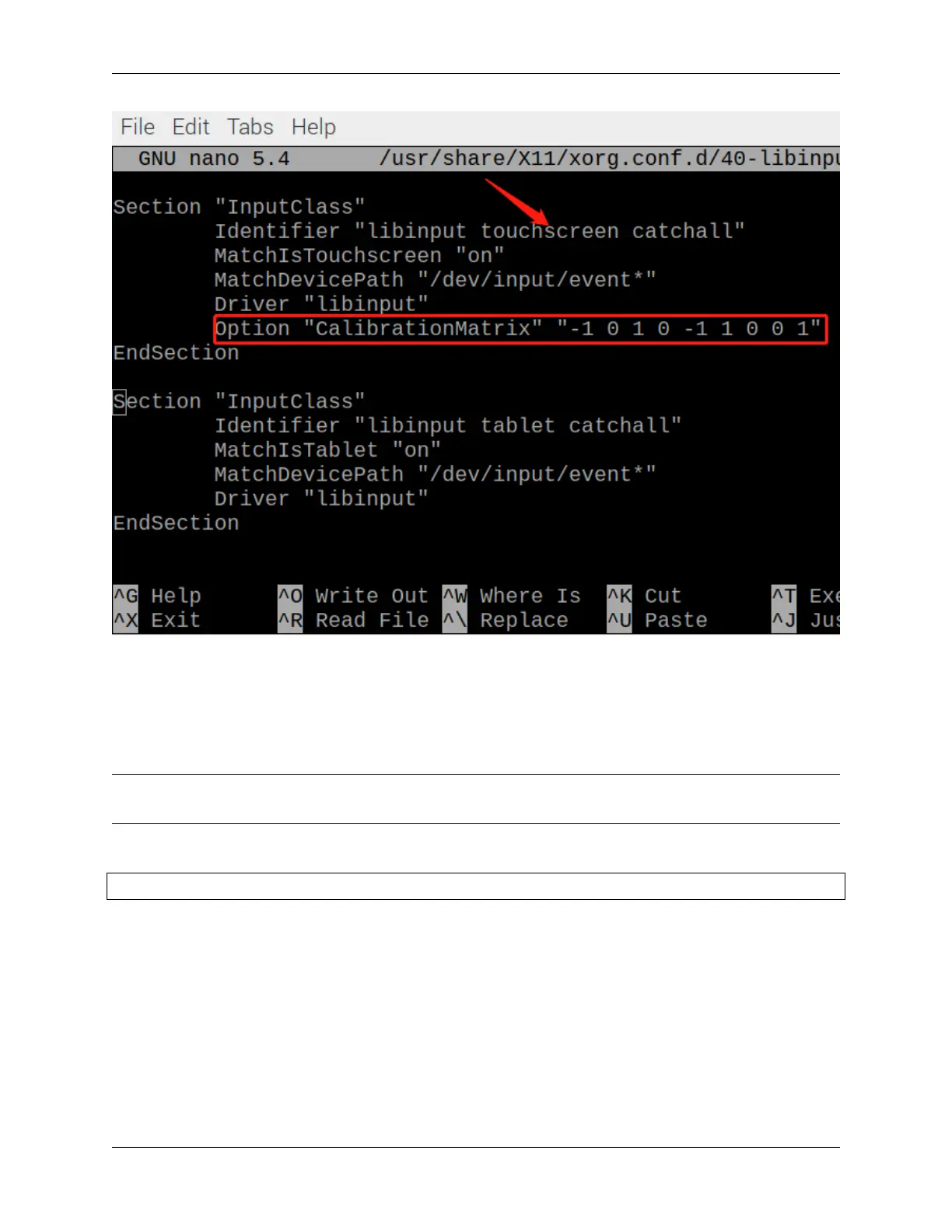
• 0 degrees: Option "CalibrationMatrix" "1 0 0 0 1 0 0 0 1"
• 90 degrees: Option "CalibrationMatrix" "0 1 0 -1 0 1 0 0 1"
• 180 degrees: Option "CalibrationMatrix" "-1 0 1 0 -1 1 0 0 1"
• 270 degrees: Option "CalibrationMatrix" "0 -1 1 1 0 0 0 0 1"
Note: For some Raspberry Pis, you may set the rotation angle of touch to 90°, but eventually you find that it is not
90° and you need to manually alternate these 4 sets of values.
After restarting the Raspberry Pi, you will see the effect of rotation.
sudo reboot
3.5. Rotate the Display and Touch Angle 27



 To Next Page