9
Basic Operation
NETWORK & INTERNET
Your device support Wi-Fi 802.11b/g/n. Use Wi-Fi settings to manage your device's
Wi-Fi connections.
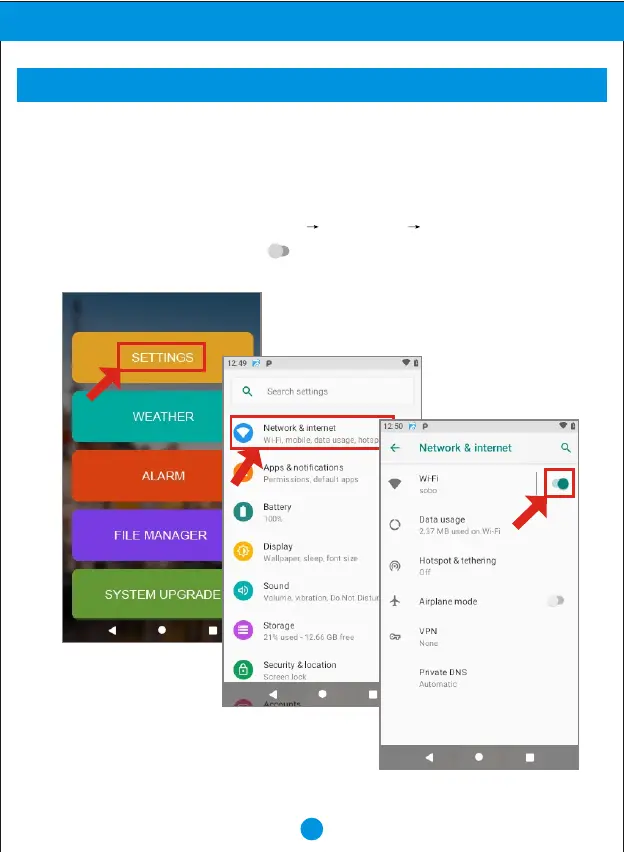
Turning Wi-Fi on or off
Turn your device's Wi-Fi service on or off. When you turn Wi-Fi service on, Your device
automatically searches for available, in range Wireless access Points(WAPs).
1. From Home screen, Touch "SETTINGS" "SETTINGS” "Network & internet".
2. Turn on the Wi-Fi by slide the icon( ) to right side, and slide to left side to turn off
the Wi-Fi .


 To Next Page