17
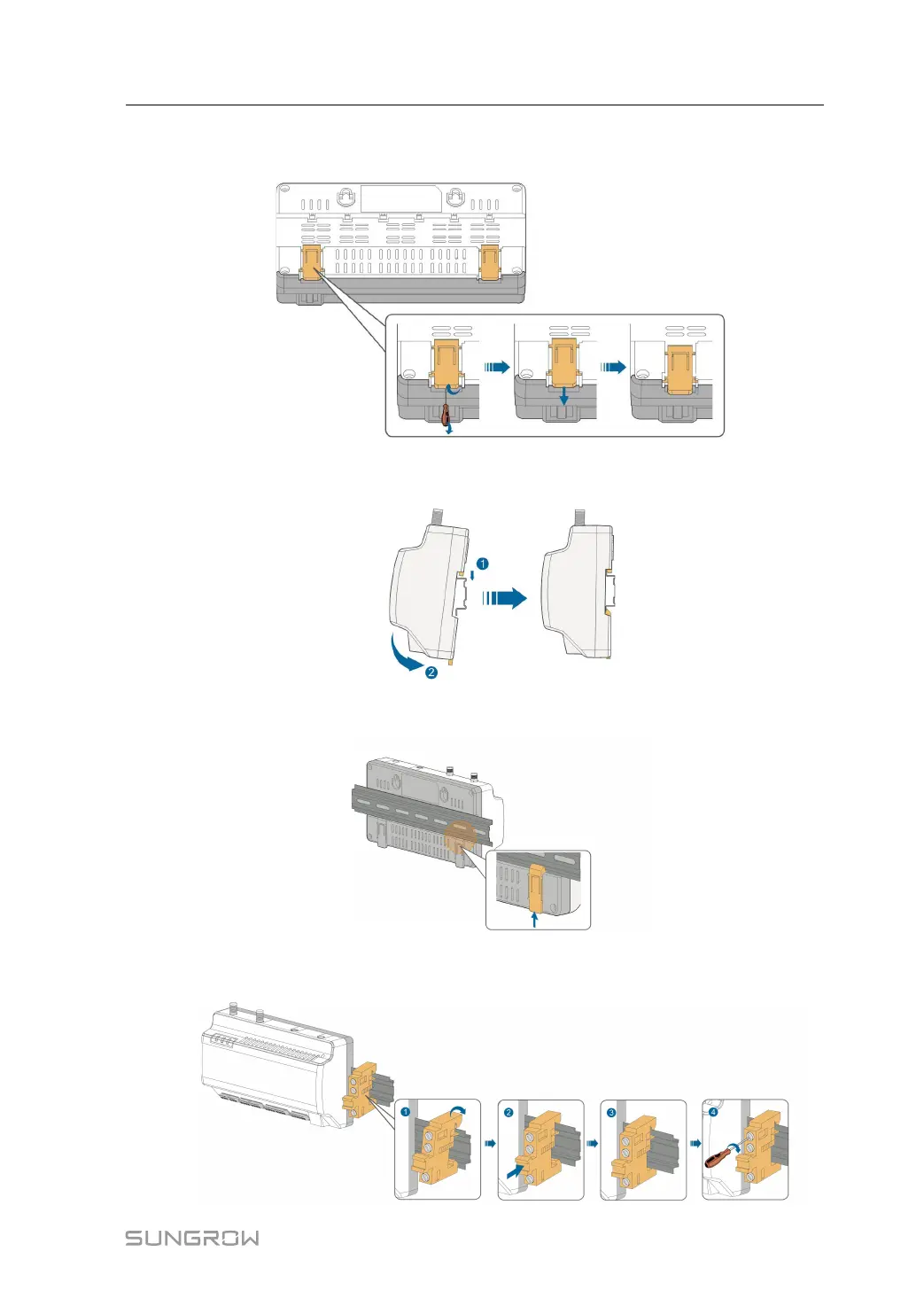
Step 2 Slight press down the recessed part under the buckle of Logger1000 with a flat-head screw-
driver or other similar tools to pull out the buckle outwards.
Step 3 Hook the Logger1000 into the guide rail from above and press down the lower part of the
Logger1000 until it snaps into place.
Step 4 Push the buckle of the Logger1000 upwards to clamp the guide rail.
Step 5 Secure the terminal fasteners on both ends of the guide rail, to prevent the Logger1000 from
moving.
User Manual 4 Mechanical Mounting



 To Next Page