43
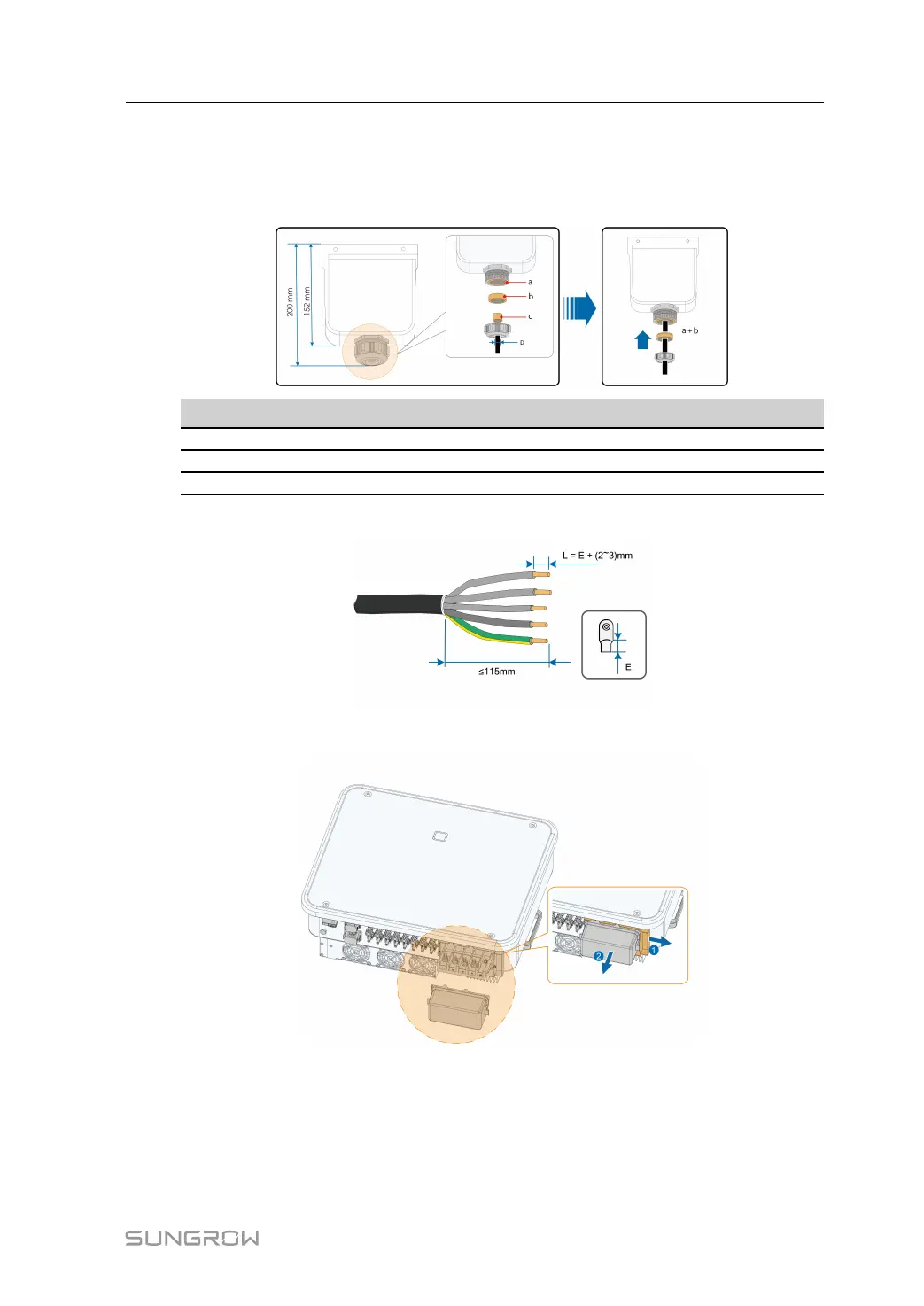
Step 2 Take out the AC junction box and loosen the swivel nut. After removing the seals, select one
or more appropriate seals for use in combination according to the cable outer diameter, by
referring to the table below. Lead the cable through the swivel nut, seal, and junction box
successively.
Outer diameter D(mm) Seals
18 ~ 24 a+b+c
24 ~ 30 a+b
30 ~ 38
a
Step 3 Make the cable and crimp OT/DT terminal.
Step 4 Remove the AC protective cap.
User Manual 5 Electrical Connection





 To Next Page