9
Using the Pressure Washer
mIMPORTANT! This pressure washer is equipped with
a micro-switch sensitive to water ow. This Total Stop System
(TSS) senses water ow in the pump. When the trigger is
released, water stops owing through the pump. The TSS then
automatically turns the motor o to protect the pump from
overheating, thus saving energy and prolonging pump life.
1. Position the washer as CLOSE as possible to the
water supply.
2. The washer must be used on a secure and stable surface
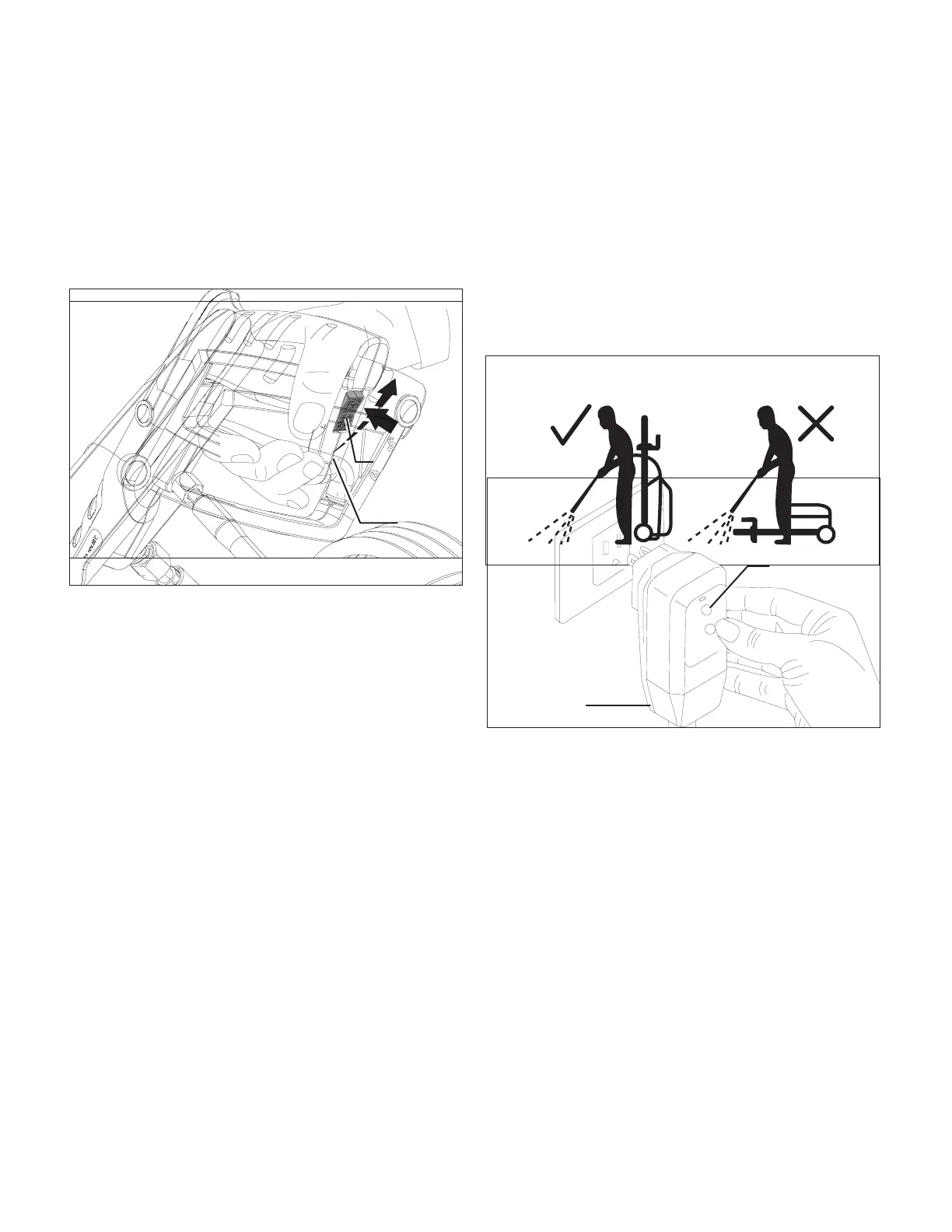
in a standing, upright position (Fig. 11).
3. Make sure the unit is switched o before plugging the unit
into the power outlet.
4. Check that the electrical supply voltage and frequency
(Volt/Hz) correspond to those specied on the rating plate.
If the power supply is correct, you may now plug the
pressure washer into the power outlet (Fig. 12).
NOTE: The GFCI may need to be reset when rst plugged
into the electric outlet. Press the "Reset" button until
the power light indicator on the GFCI illuminates when
plugged in.
5. Turn the water supply tap on completely.
6. Release the safety lock, then press the trigger for a few
seconds until the water ow is steady. Operating the
pressure washer in this manner will allow air to escape and
discharge residual pressure in the hose (Figs. 13 – 14).
7. Turn the ON/OFF switch to the ON (I) position to start the
pressure washer (Fig. 15).
Fig. 11
RESET
TEST
Fig. 12
GFCI
Reset
Fig. 13
Safety lock
Fig. 14
Trigger



 To Next Page