6
SAC600
Operation
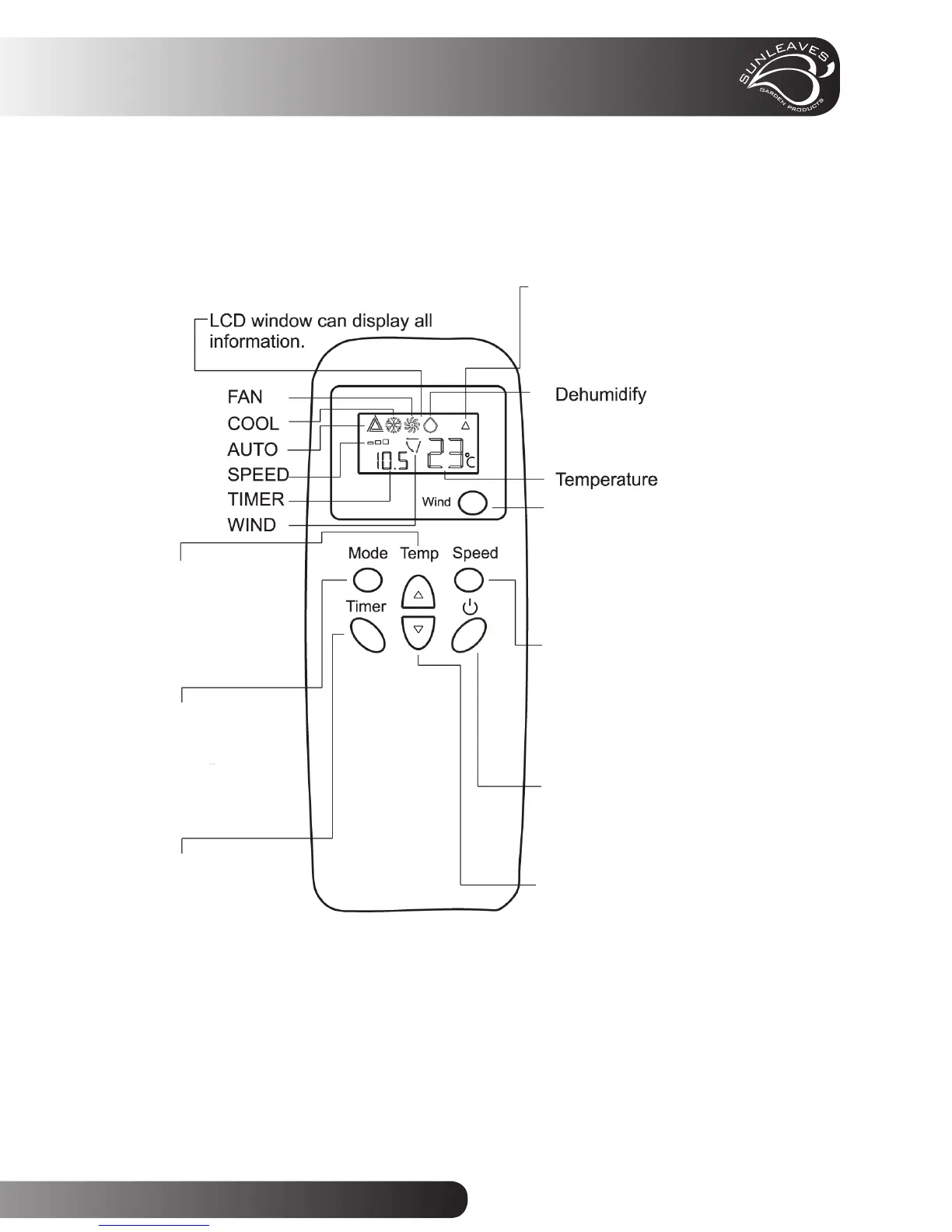
Remote Control
• Insert 2 AAA batteries (not included) into the remote control
• Please point the remote control to the signal receiver on the unit panel.
• LCD window can display AUTO, COOL, FAN, DEHUMIDIFY, SPEED, TEMP etc.
Timer Button:
Adjust the Auto OFF
setting while the unit
is on and adjust the
AUTO ON setting
while the unit is off.
Mode Button:
Press to change the
unit run mode.
Temp Button:
Press to increase set
room temperature
1
O
F / 1
O
C.
Wind Button:
Press wind button to
start or stop air fl ow
in a vertical direction
Signal Transmission Indicator:
Press once will display informa-
tion in LCD window and it will
disappear in a few seconds.
Speed Button:
Press once to change
fan speed to Low,
Mid, and High speed.
POWER Button:
Press once to start
and press again to
stop the unit.
Temp Button:
Press to decrease set
room temperature
1
O
F / 1
O
C.



 To Next Page