ANDROID CONTROL PAD & SUNLIGHTEN APP GENERAL OPERATING INSTRUCTIONS
MEDIA AND APPLICATIONS
20
SCREEN 36
APP REMOVAL
•
From the App tray select the Gear icon
for Settings.
•
Select the app to be removed from the list.
•
Tap uninstall.
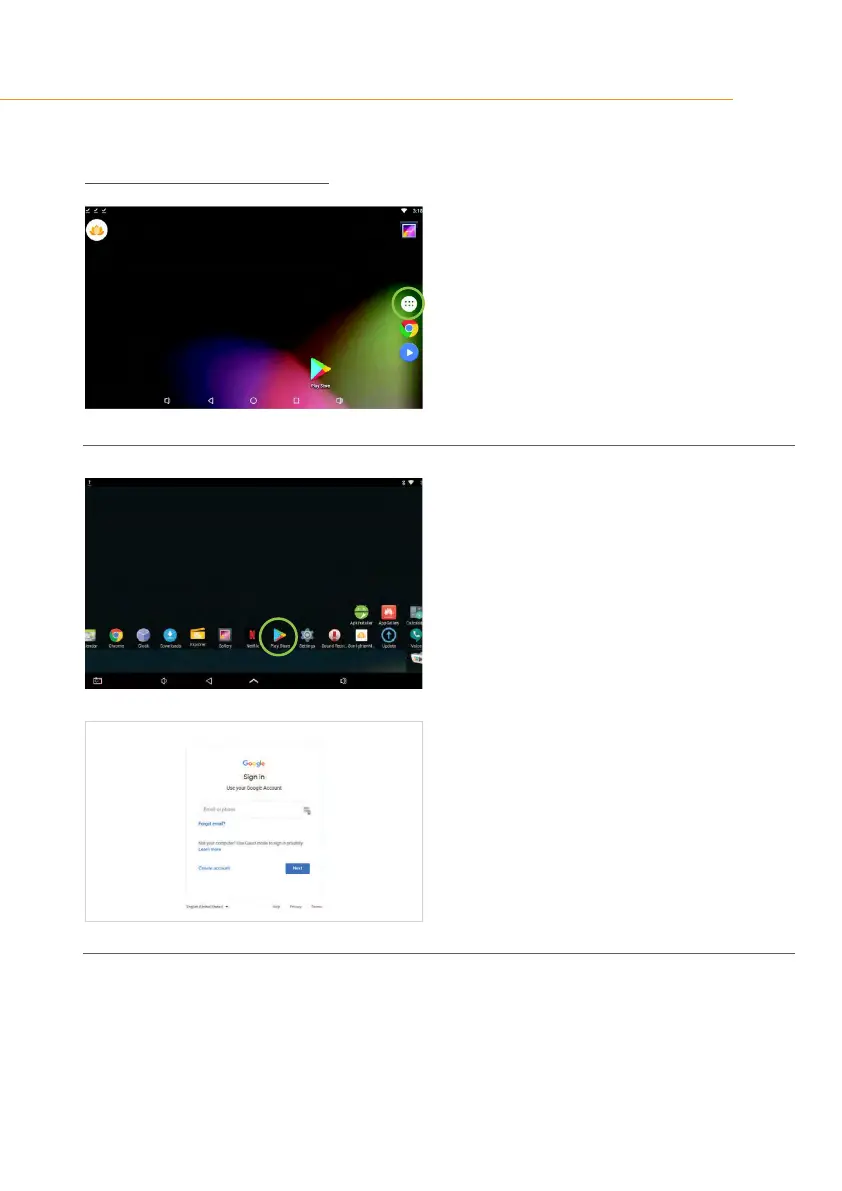
SCREEN 37
APP ADDITION
•
Tap Google Play Store icon to add new third
party applications to the Android Control Pad
•
Log in to the Google Play Store with your
Google account information.
•
Sunlighten is not responsible for third party
Android app functionality.
•
Compatibility is not guaranteed with every
application.



 To Next Page
 Loading...