ANDROID CONTROL PAD & SUNLIGHTEN APP GENERAL OPERATING INSTRUCTIONS
10
PROFILE SET UP
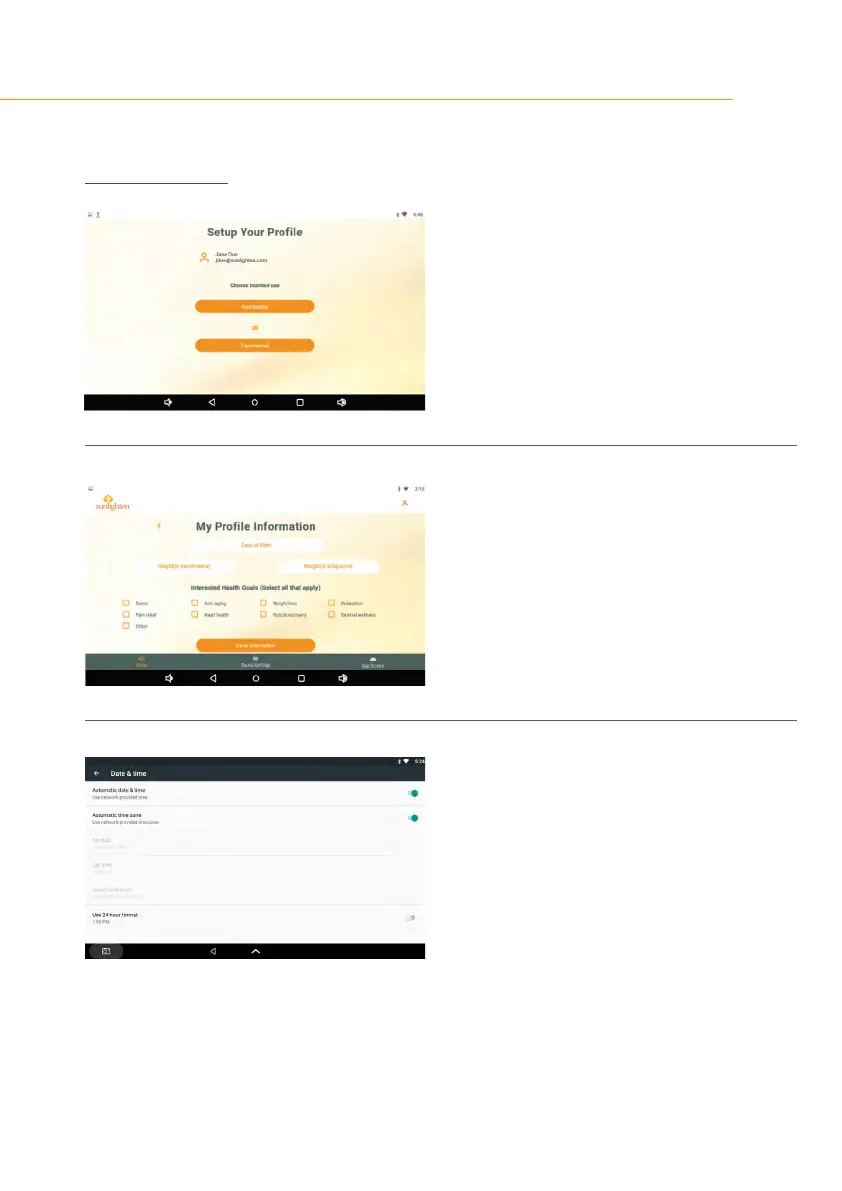
SCREEN 10
•
Select your intended use from this screen,
either Residential or Commercial.
SCREEN 11
You’ll be asked to provide some personalizing
proleinformationforfuturecustomizationuse.
Once you’ve completed this information entry,
you’ll be asked if you’d like to update the time
zone settings.
SCREEN 12
This will take you to the Date & Time subsection
of your pad settings,
•
Deactivate Automatic Date & Time
•
Manually adjust both the Time Zone and Time.
•
Tap the left-facing arrow and you’ll be taken to
the Sunlighten App Home Screen.
•
To complete set up, tap the user icon in the
upper right corner of the screen
•
Select My Saunas, and enter the serial number
and model of your Sunlighten sauna.









 To Next Page