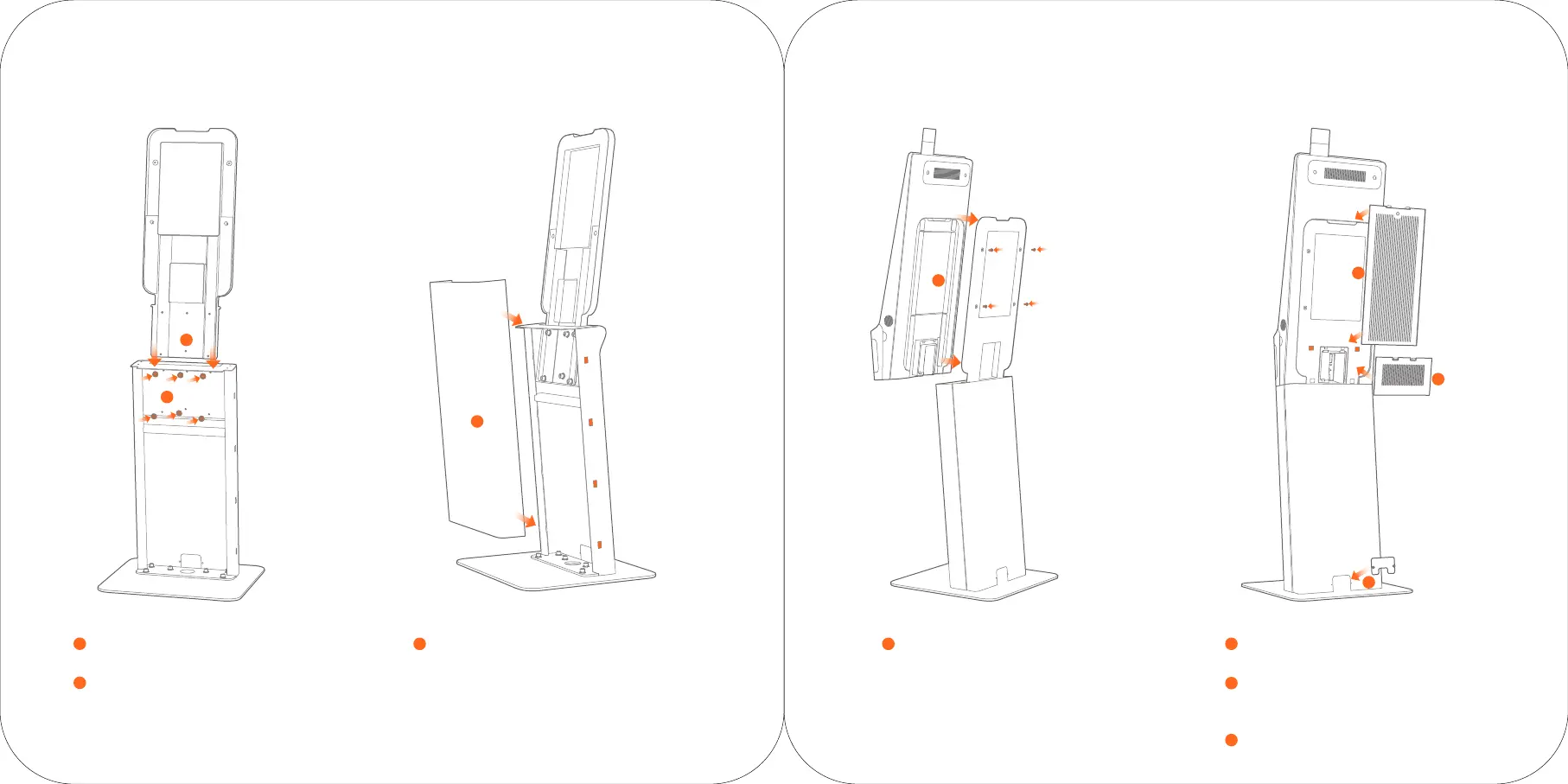
Insert host back support
3
Insert the host back support into the stand.
Fix the back support with the stand
4
Fix the back support with the stand by six M6x25 screws.
Fix the plastic front shell
5
Fix the plastic front shell onto the metal stand again by clips.
Fix the host with back support
6
Hang the host onto the back support
and fix them by four M6X25 screws.
Assemble the mainboard maintain cover
7
Fix the mainboard maintain cover on the host.
Plug lines
8
Plug power line and network cable and cross the
lines through the stand. Fix the back plug cover.
Fix the line cover
9
Twist the screws to fix the metal line cover.
3
4
5
6
7
8
9


 To Next Page