EasyManua.ls Logo

Sunmi T2SL - User Manual

Sunmi T2SL
13 pages
Print Icon
To Next Page IconTo Next Page
Loading...
User Manual Book
Before operating this unit
please read these instructions completely and save them
POS System

Questions and Answers

Summary

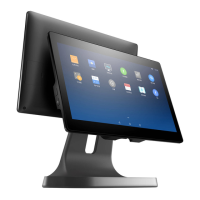
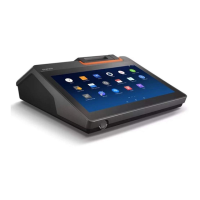
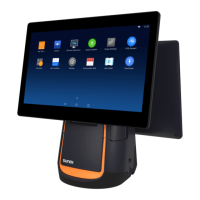
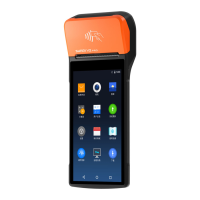
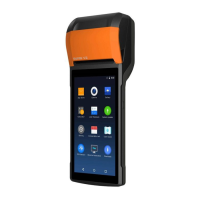
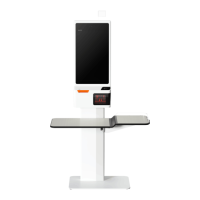
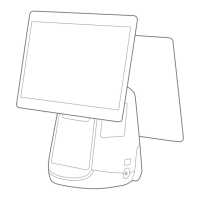
Three configurations of T2 s

Simplified Setting

Steps to turn on the POS machine and configure internet connection.

How to download;use App

Guide on accessing the App Market to download and install applications.

POS Machine Installation

Open the paper roller cover

Instructions to open the printer's paper roller cover for paper loading.

Install printing paper

Steps for installing the 80mm thermo-sensitive paper roll.

Connect the power cable

Guide on connecting the POS power adapter to the unit and a power socket.

Wrong Operation

Paper Jammed Troubleshooting

Procedure for resolving paper jams in the printer mechanism.

Common Troubleshooting

Solutions for device crashes, printer errors, and print quality issues.

Specification

Specification of 15.6 customer display

Technical details for the optional 15.6-inch customer display.

Specification of 10.1 customer display

Technical details for the optional 10.1-inch customer display.

Name and Content of Toxic or Harmful Substances in this Product

Package content

Precautions

Warning

Critical warnings for safe operation, including power connection and battery handling.

Important Safety Instructions

Safety guidelines for thunder, power issues, and sharp tools.

Statement

Company disclaimer regarding misuse and unauthorized modifications.

Disclaimer

Notes on manual updates and product details.

FCC Statement

Three options for sub screen of intelligent POS machine

Quick Installation Guide

Product Introduction

Power

Functionality of the power button and pilot light indicator.

USB Interface

Use of the USB interface for connecting external peripherals.

Display

Description of the operator's touch screen interface.

Metal Base

Information about the POS machine's base and VESA mounting.

Slot reader interface

Details on the slot reader for MSR/NFC POS systems.

TF card slot

Usage of the TF card slot for external memory expansion.

Micro USB debug port, debug key

Purpose of the Micro USB port and debug key for system diagnostics.

Cash drawer interface

Connection details for external cash drawers.

Installation Steps for the VESA Bracket

Remove the base

Step-by-step instructions to detach the base from the POS unit.

Install VESA accessories

Guide for attaching and mounting the VESA bracket.

Minimal Settings

Wi-Fi setting

Procedure for configuring Wi-Fi connection on the POS machine.

Setting of LAN

Steps for establishing a wired LAN connection.

How to download;use the application

Instructions for downloading and using applications from the app store.

Basic Specifications

EU Regulatory Conformance

FCC Regulations

Technical features and characteristic

Sunmi T2SL Specifications

General IconGeneral
RAM2GB
Storage16GB
ConnectivityWi-Fi, Bluetooth, 4G LTE
PortsUSB Type-C, 3.5mm audio jack
Camera5MP rear, 2MP front
Operating SystemAndroid
Secondary Display10.1 inch
Touch ScreenCapacitive
Power Adapter InputAC100~240V/1.5A
Display5.5-inch HD
Supported CardsMicro SD

Related product manuals