6
ASSEMBLY INSTRUCTIONS
We value your experience using Sunny Health and Fitness products. For assistance with parts or
troubleshooting, please contact us at support@sunnyhealthfitness.com or 1-877-90SUNNY (877-
907-8669).
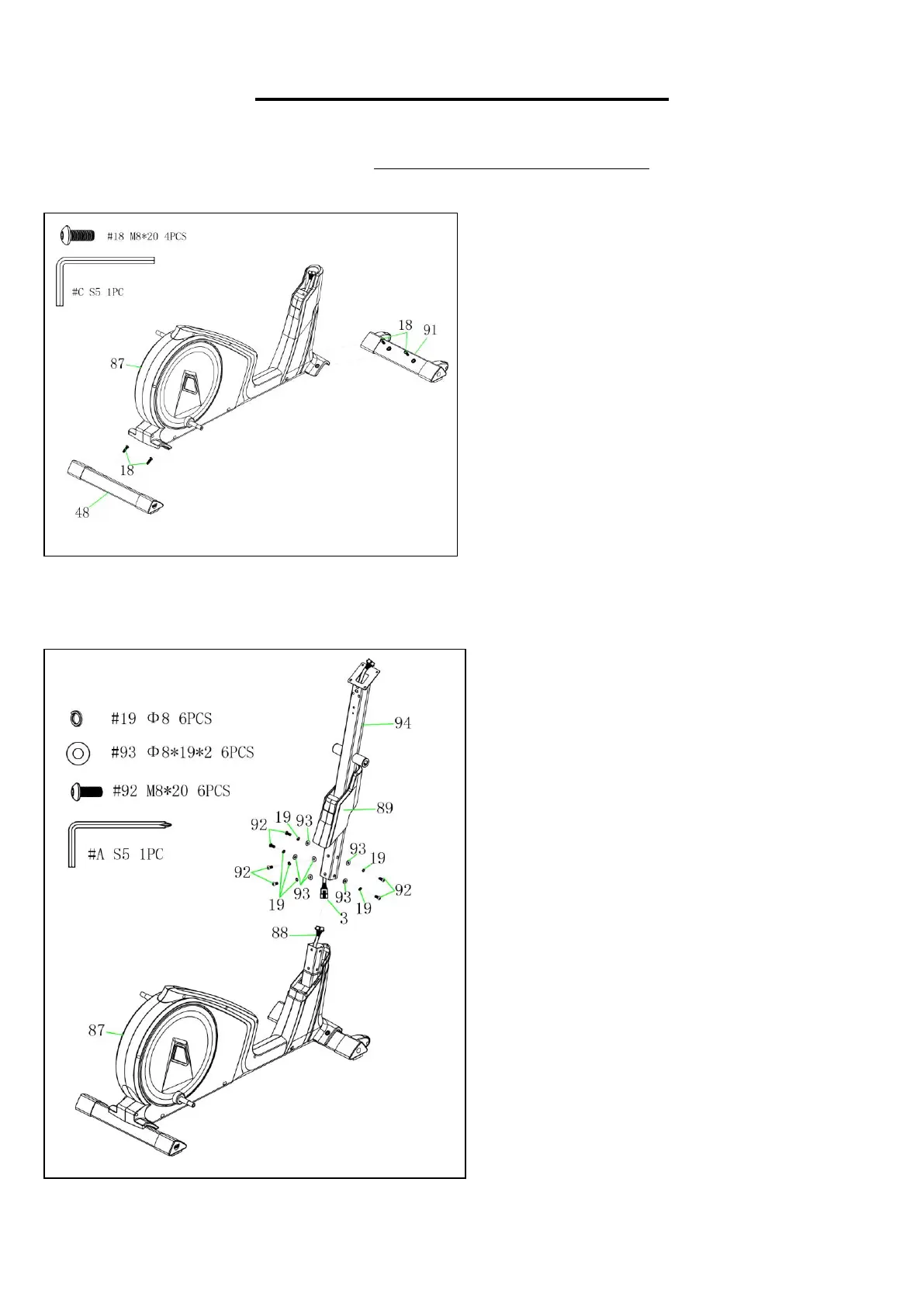
STEP 1:
Remove 2 Bolts (No. 18) from the Front
Stabilizer (No. 91).
Attach the Front Stabilizer (No. 91) to the
Main Frame (No. 87) with 2 Bolts (No. 18)
that were removed. Tighten and secure with
Allen Wrench (No. C).
Remove 2 Bolts (No. 18) from the Rear
Stabilizer (No. 48).
Attach the Rear Stabilizer (No. 48) to the
Main Frame (No. 87) with 2 Bolts (No. 18)
that were removed. Tighten and secure with
Allen Wrench (No. C).
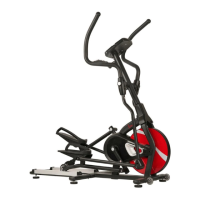
STEP 2:
Put the Front Plastic Cover (No. 89) through
the Handlebar Post (No. 94).
Connect the Lower Computer Cable (No.
88) with the Upper Computer Cable (No. 3).
Attach the Handlebar Post (No. 94) to the
Main Frame (No. 87) with 6 Spring
Washers (No. 19), 6 Washers (No. 93), and
6 Bolts (No. 92). Tighten and secure with
Allen Wrench (No. A). Then, place the Front
Plastic Cover (No. 89) into position.



 To Next Page