USER MANUAL
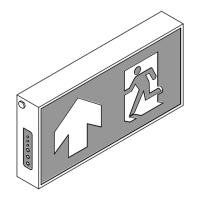
Self-Contained Emergency Light TM Series
1. The unit can be installed on leveled ground or hung up.
2. Install properly and securely to prevent accidents that could cause damage to the unit or
other people and property.
3. Plug the unit into a power socket with a 230VAC power supply. The emergency lamp will remain
on for about 2 seconds before turning o, Notice the LED will show the status as follows.
3.1 The LED “AC” will turn on indicating that the unit is receiving power.
3.2 LED “On/Timer” lit or flashing slowly indicates the status of the unit ready to use.
3.3 The LED “Charge“ will be on when the battery is charging.
3.4 The LED “Charge” will be o when the battery is fully charged.
4. When the unit is operational, tests can be performed.
4.1 Pressing the “O/Test” switch the emergency lamp will remain on for about 5 seconds before
turning o.
4.2 Unplug the unit from the 230VAC socket and the emergency light should turn on automatically
and plugging the unit back in should cause the emergency lamp will remain on for about 5 seconds.
5. During power outages the emergency light should automatically turn on and will turn o
automatically and start charging the battery once power is restored.
Installation and Operation
Caution: Please always read the manual prior to installation and operation.
Indicates that the unit is receiving a power /
Indicates the status when setting the timer using the remote
Indicates that the unit’s battery is charging
or is a problem with the battery
Infrared signal receiver
Indicates that the unit is receiving a power supply
LED AC
LED On/Timer
LED Charge/Fail
IR
Switch O/Test
Status Indicators and Testing Buttons
Remote Control
Model: TM209CD3
Remote Control
Press to turn o the lamp and the system of the unit
(while the power is o or the unit is not plugged in)
Press to test the device’s availability
(during normal circumstance and the unit is plugged in)
AC
On/Timer
Charge
Fail
IR
O
Test

 Need help?
 General

 To Next Page