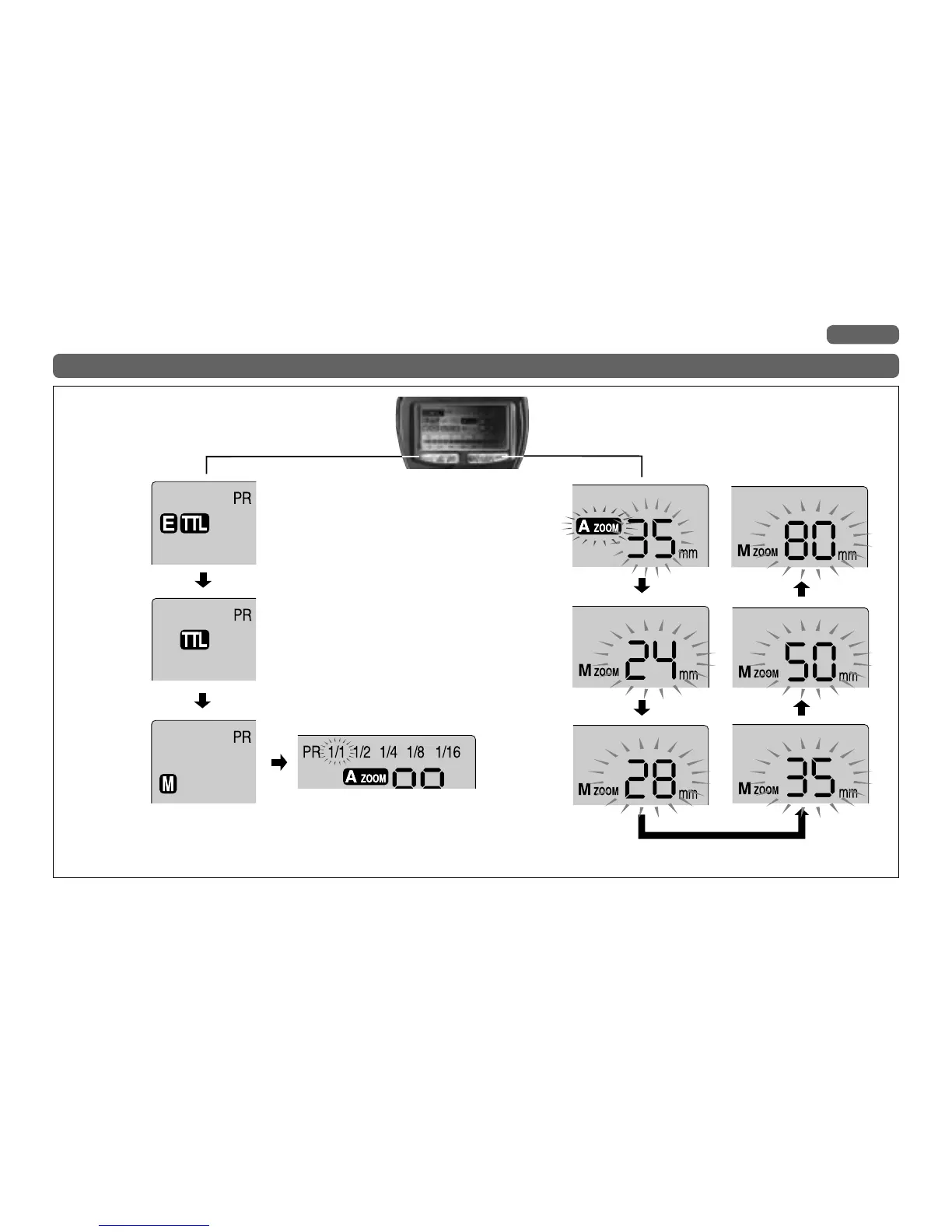
TTL Mode
E-TTL Mode
Manual Mode
Press the Mode Select Button
Press the Zoom button
Repeated pressing of the mode button will
cycle the flash display from E-TTL Mode to
TTL and through the manual power ratio
settings, returning to the E-TTL Mode.
(Other cameras without E-TTL mode will
return to the TTL Mode.)
This mode can be used only when using cameras
having E-TTL mode.
This mode is not indicated on the LCD Display
when using cameras without TTL mode.



 To Next Page