There are five power-output settings available with the PZ40X in manual mode,
from full power to 1/16 power. First, push the Mode Selector button continually
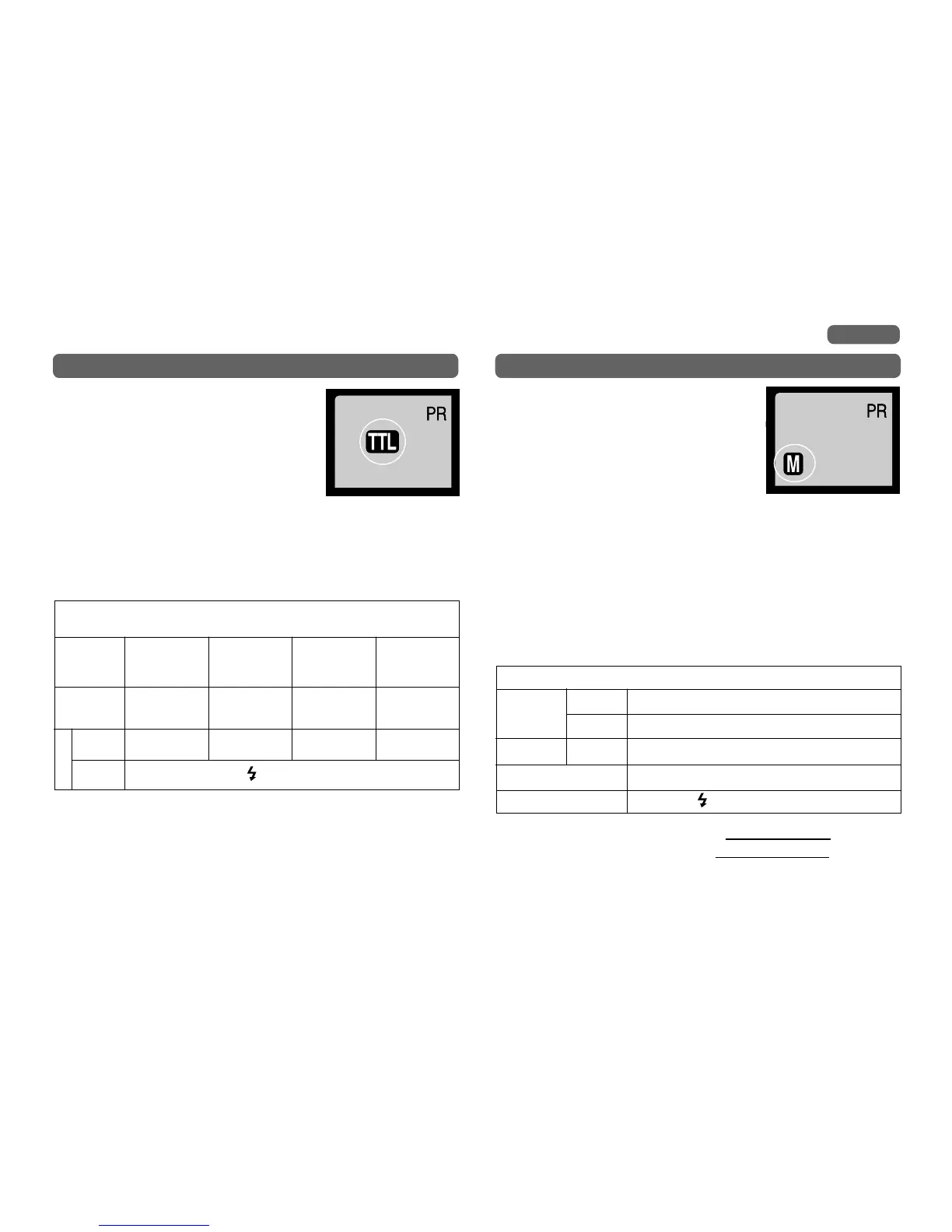
until “M” is displayed. The flash will then be in the Manual mode. Please refer to
the Chart 1 on page 15 for details on setup. Once the battery switch is turned to
"OFF", the setting "Manual Mode" is cancelled.
Here are some situations when manual mode is desirable or useful:
1. Daylight synchronization (Flash is used outdoors to lighten shadows or when
the subject is photographed against a strong backlight)
2. When certain focal-length length lenses will be used, such as fisheye type.
3. When a motor drive or an auto-winder will be used.
4. When a number of flashes are used together.
Note: An arrow in the LCD display indicates that the maximum flash range of
105 ft. (32m) has been exceeded.
Manual Mode
Mode
AV, M mode
Aperture
Finder Indication
Camera
PR (Power Ratio) 1/1 〜 1/16
M, AV-manual set
Range
the LCD panel
is displayed
Aperture Setting, Shutter Speed, Range Calculation for Manual Mode
(Table 3)
Camera
Flash
CANON EOS series SLR cameras
√
Range = Zoom Guide number(p.19) ×
÷ F Stop
film speed
ISO 100
TTL Mode
Mount the PZ40X on the camera and push the
mode-selector button until the LCD panel displays
TTL. (The LCD panel shows the previous mode when
you first turn the power switch on.) The PZ40X now
calculates exposure based on the camera's selected
aperture and film speed and displays the effective
TTL distance range. The display of the effective
distance range does not appear until you partly
depress the camera's shutter release or the Ready Light comes on. A bar graph
shows the flash range display from 1.5 ft to 105 ft (0.5m to 32m). An asterisk will
appear if this distance is exceeded.
CANON EOS series SLR cameras
Camera
Mode
Setting
"P" mode,
Illust mode
(Program AE)
"AV" mode
(Aperture
Preference AE)
"TV" mode
(Shutter
Preference AE)
"M" mode
(Manual)
Aperture
Setting
Automatically set
by ambient light
Manual set
(F/STOP)
Automatically set
by ambient light
Manual set
(F/STOP)
Shutter
Speed *1
Automatically set by
ambient light
Automatically set by
ambient light
Manual set Manual set
Finder
Indication
is displayed
● When using camera at full auto mode (simbol mark), the mode of PZ40X is fixed to
"TTL".
● E-TTL Mode can be used only for cameras having this function in CANON EOS series.
●Flash mode groups refer to the mode of a flash. (E-TTL, TTL, M)
*1 Shutter speed is set to the X-sync speed or a slower shutter speed. Since X-sync speeds
vary with different camera models, please refer to your camera's instruction manual.
TTL Mode with CANON EOS cameras, Aperture Setting and Shutter
Speed (Table 2)
All mode
8
English


 To Next Page