5
Adapter Voltage output DC 12V/3A
Printer Input Voltage DC 12V/3A
Cashbox Control DC 12-24V/1A
Working Temperature
0-45℃, Humidity:10-80%
Saving Temperature
-10-60℃, Humidity:10-90%
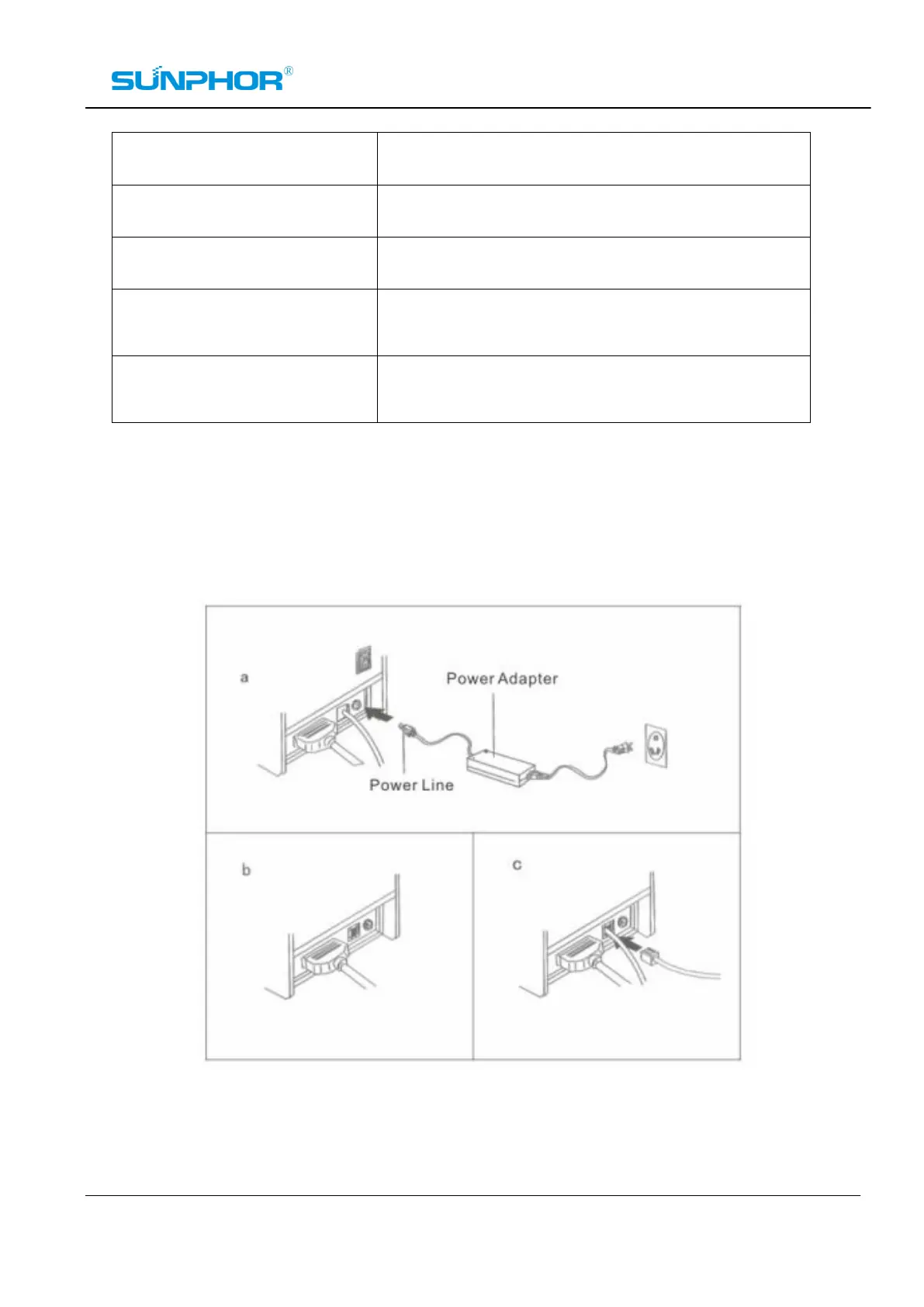
Connection of the printer (Switch off first)
a. Connect the power adapter cable to the printer power interface
b. Connect the data cable from the PC to the printer port interface
c. Connect the cash drawer cable to the printer's cash drawer interface



 To Next Page