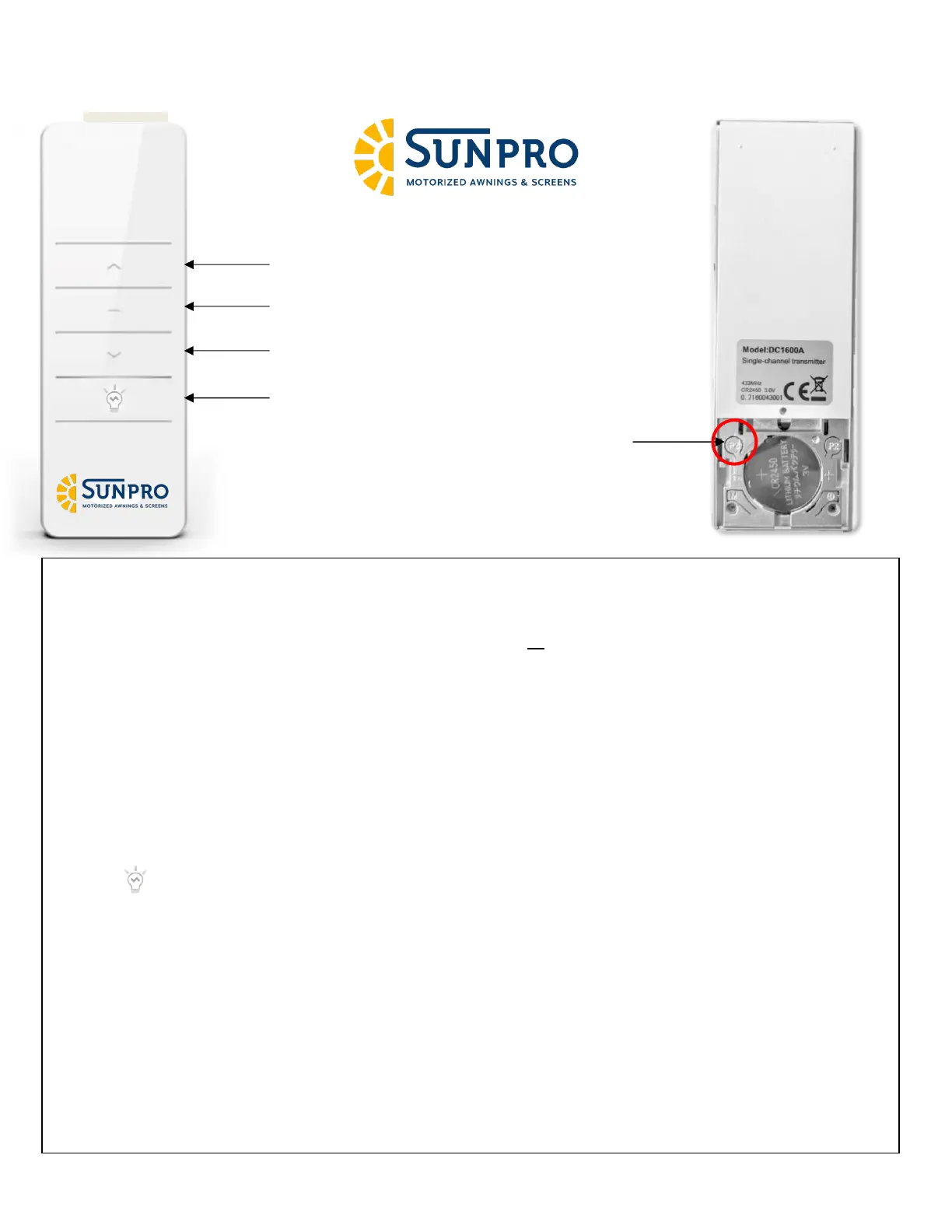
Pairing a new remote to motor (w/o Original Remote):
1. Apply power to unit
2. press the P2 button twice on back of remote
3. Press and hold the out (▲) button for right hand motor or the In (▼) button for left hand motor
4. Motor will confirm programming by sounding multiple beeps
5. Test awning movement by extending/retracting awning 1-2 feet in either direction. If the awning is
moving in the wrong direction (retracting, when it should be extending), repeat steps 1-3 pressing the
opposite arrow pressed during the initial programming
Pairing additional remotes (w/ Original Remote):
1. Remove the back of the original and any additional remotes
2. On the Original remote, press P2 twice
3. On the new remote, press P2 once
4. Test function and repeat as needed for additional remotes
Using the lights button:
o Tap once for “ON - Dim”
o Tap again for “ON - Bright
o Tap once more for “OFF”
Motor Programming: Note: Timing is key with Dooya motors. If multiple motors, power and program
ONLY one motor at a time. Each button is to be pressed in one second intervals. Pressing either too
fast or too slowly will void the programming process.


 To Next Page