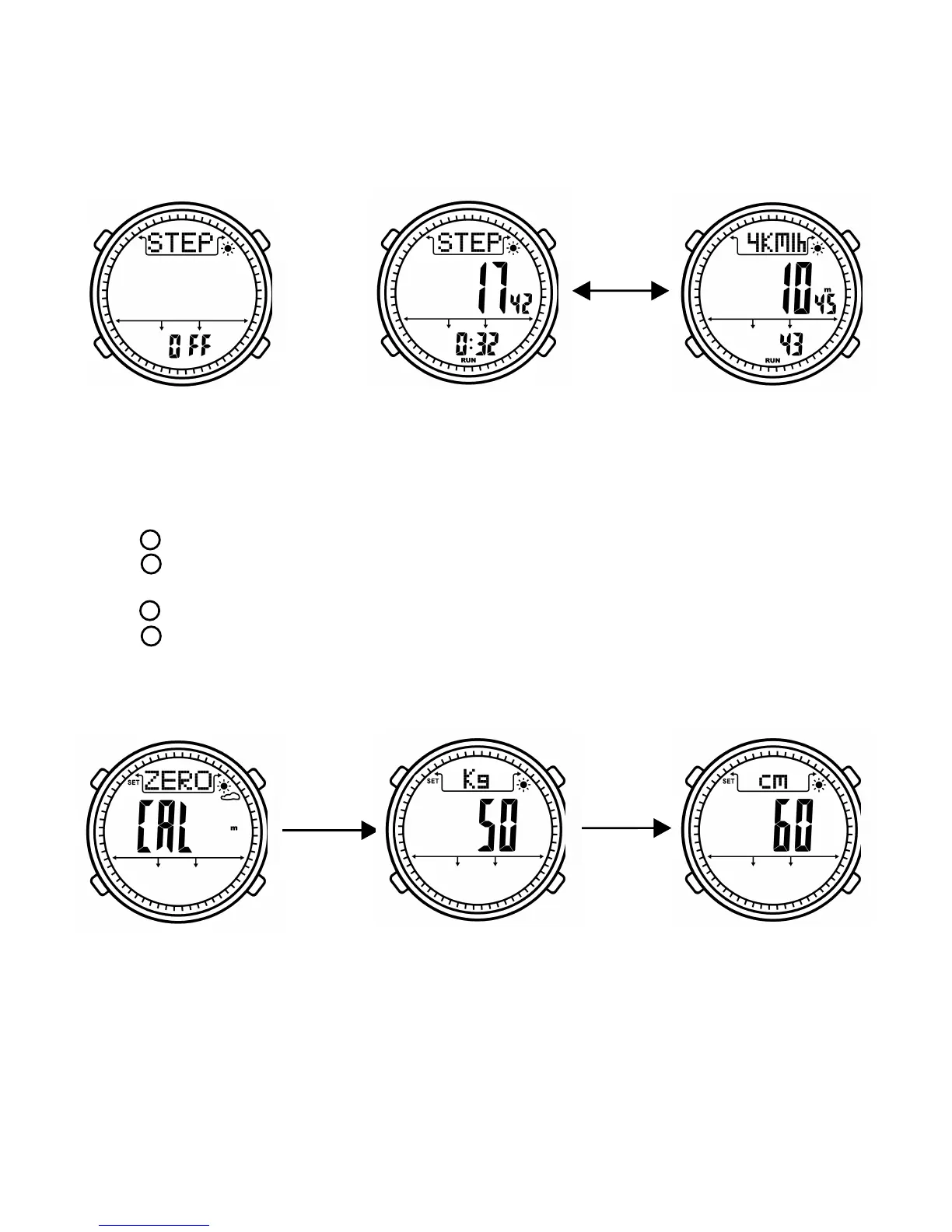
Pedometer setting mode
Button function:
- Press
- Press to
ress it to
- Press to to
- Press to
- I
Under pedometer mode, long press button B to enter pedometer setting mode.
EL backlight will be turned on 6 seconds
switch setting items including clear zero, weight and step legth.
long p save and exit setting mode. “SET” icon will be disappeared.
decrease data, long press it decrease data quickly
increase data, long press it to increase data quickly
f there is no operation in 30 seconds. It will save and exit setting mode,
“SET” icon will be disappeared.
B
A
B
C
D
6
Pedometer mode Step mode Calorie mode
Press C
Clear zero for step Weight setting Step legth setting
Press B
Press B
BBBBBBBB
BB
BBBBBBBB
BB
BB
BBBBBBBB
BB
BBBBBBBB
BB
BB


 To Next Page