4
2. Operating instructions
2.1 Default mode - time mode
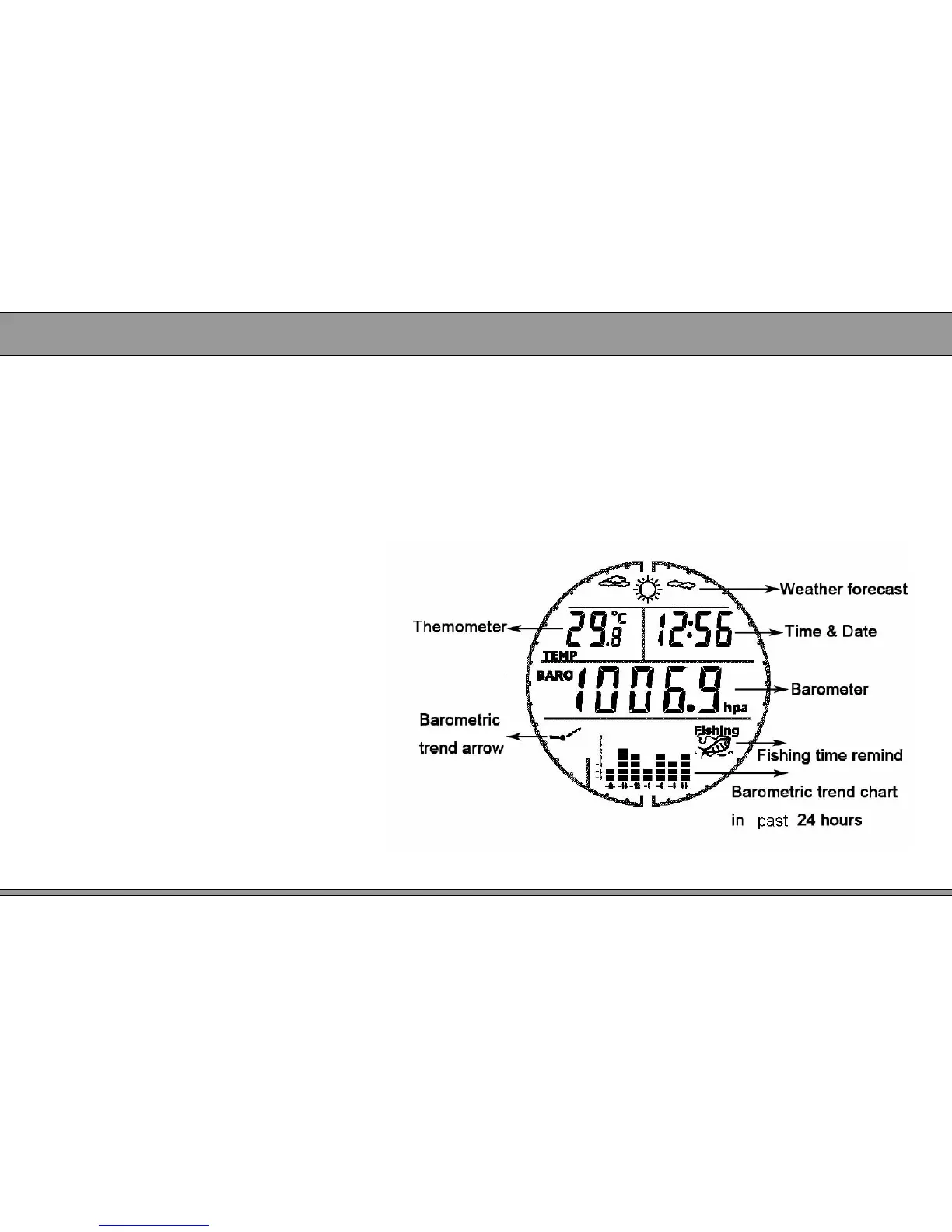
● LCD display:weather forecast, temperature, time, date, local air pressure,
pressure trend arrow, pressure trend chart, fish icon(if pressure is not fit for
fishing, this icon will not display on screen ) etc. Please refer figure 2.
● Pressure trend chart shows air pressure change in passed 24hours, X-axis is
time, Y-axis is air pressure (every division means 2hpa )
● Pressure trend arrow forecast pressure
change in future 12 hours.
● If current pressure is higher than fishing
pressure, the fishing icon will
display on screen. If not, the
fishing icon will disappear.
● Before first using, please set up
initial data such as time, date,
temperature unit, air pressure unit,
altitude unit and sea level altitude
etc. Detail setting method, please
refer item 2.2 (Setting mode) .
Figure 2


 To Next Page