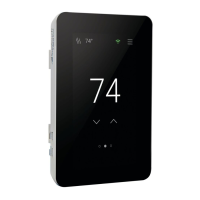
Switch on the circuit power supply at the breaker.
The SunStat Command will load stored settings into memory.
Heating Operation
By default, the SunStat Command controls the heating system to maintain a selected floor temperature. This can be
switched to room temperature control in the Setup menu. Floor and Room maximum settings are also available to
limit temperatures.
GFCI Testing and GFCI Light Operation
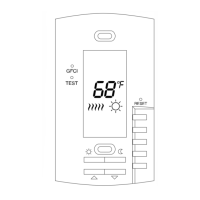
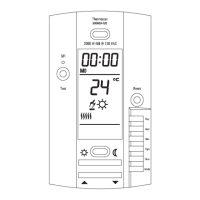
Press the Test button on the GFCI monthly to verify that the GFCI function is operational. The GFCI light will
flash red after pressing the Test button. To resume normal operation, press the Reset button.
If pressing test does not display a flashing red GFCI light, protection is lost and the unit will need replacement.
If the GFCI light continues to flash after pressing the reset button, protection is lost and the unit will need
replacement.
If the GFCI trips during normal operation, press the Reset button to resume operation. If it trips again, the
electric floor heating system should be inspected and tested by a qualified technician.
If the GFCI light alternates between hi and low brightness during normal operation, the unit has reached end of
life and needs to be replaced.
Power Off
To turn the thermostat off, press the button and select from the screen displayed.
To restore operation, touch the screen and select the power on button displayed.
Time Menu
Set the time and date. Select ‘Options’ to access other settings. Time format can be set to a 12- or 24-hr display.
Automatic daylight savings time can be set to Off or On.
Setup Menu
Floor or Room Maximum
Select floor and room maximum temperatures in the Setup menu. These maximum settings are used to to
protect temperature-sensitive flooring or prevent space overheating.
‘Max’ displays on the screen when the thermostat is limiting the heat output in accordance with the Floor or
Room Max setting.
Control
The ‘control’ setting determines whether the thermostat will operate to maintain a floor temperature, or the room
temperature.
Away Settings
In the Setup menu, the Floor Away or Room Away temperature can be selected, or set to Off (the default).
A home automation system can enable and disable the Away temperature settings.
Schedule Menu
By default, the thermostat includes one weekday program, a Saturday program and a Sunday program.
Press to switch between programs.
To edit the time or temperature for a wake, leave, return, or sleep event, touch the displayed time or
temperature. Choose ‘Skip’ to not use an event.
To divide the schedule by a different grouping of days, select ‘New Program’. You will be prompted to OK
deleting the current set of programs.
Select days to group together in the new programs.
Every day of the week requires selection on it’s own or within a group before exiting the program settings.



 To Next Page