4. MEASURING PROCEDURE
4-1 Air Velocity Measurement
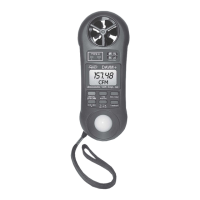
1) Power on the instrument by pressing the ON Button
(3-1, Fig.1).
2) Select the Anemometer function by pressing Function
Button (3-6, Fig.1).
3) Press the Unit/Zero Button (3-4, Fig.1) to select unit
that you want and then face the Anemometer Sensor
(3-7, Fig.1) to the source of wind.
4) Allow time for the reading to become stable and note the
value indicated. From a practical point of view the velocity
may fluctuate.
4-2 Temperature Measurement
(Thermocouple)
1) Power on the instrument by pressing the ON Button
(3-1, Fig. 1)..
2) Plug a type K thermocouple probe in the Thermocouple
Input Socket (3-8, Fig.1).
3) Select the Temperature function by pressing Function
Button (3-6, Fig.1)
4) Press the °F/°C Button (3-5, Fig.1) to select °F or °C
unit.
5) Contact the Thermocouple Sensor Head with measuring
object and the reading value will be displayed on the LCD
display.
Measuring Consideration of Temperature
Measurement ( Thermocouple )
* Please make sure the polarity is correct when you plug a
thermocouple probe in the Temp. input socket.
6


 To Next Page