SUPER STEAM X5 55
Do not carry out this procedure on heat and steam sensive sur-
faces.
The force and heat of the steam may adversely aect certain ma-
terials. Always check the suitability of using the steamer on a par-
cular surface by rst tesng a hidden area.
Never direct steam towards people, animals or plants.
normal use.
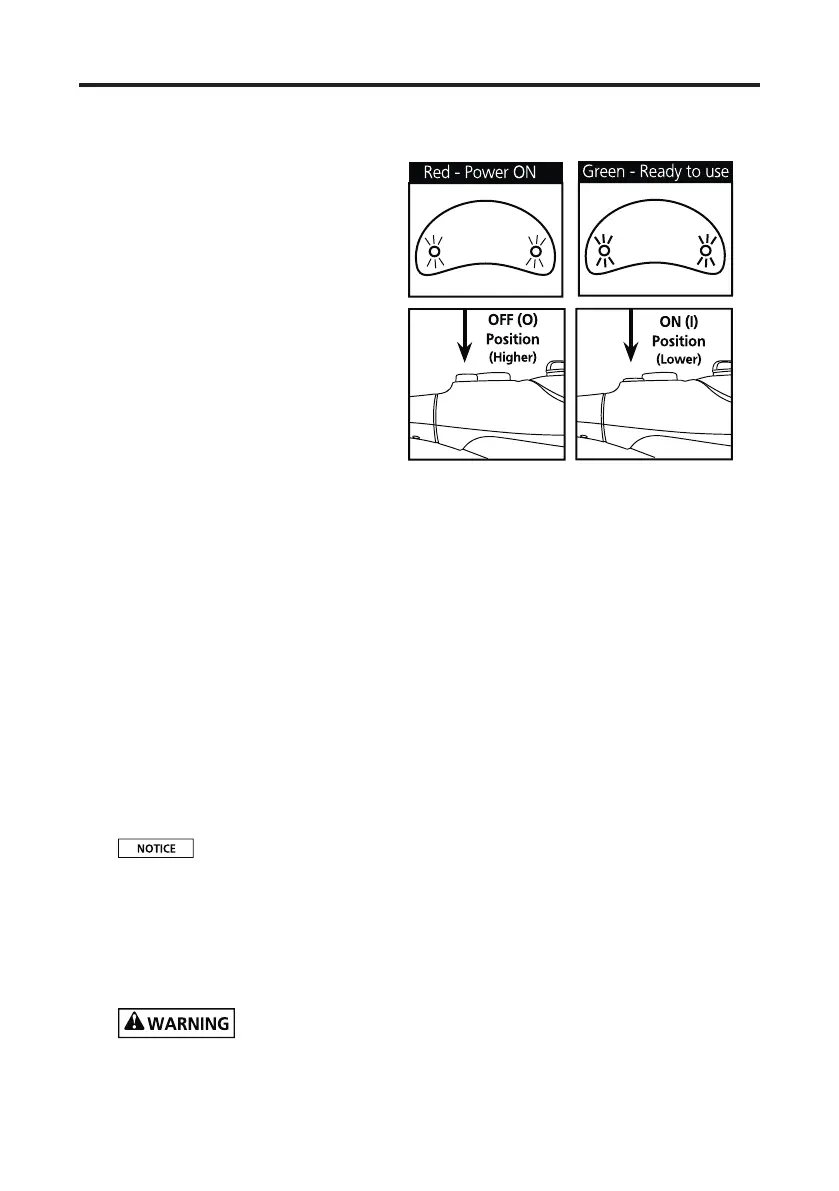
When press the pump
switch(O/I)to the ON(I) posi-
on (lower posion), the mop
will start eming steam
The pump will not work
when you press the switch if
the red indicator light blink,
only the red light stops blink-
ing then the pump will work.
When press the switch again,
the indicator light will form
green to red, the pump will stop to work.
If there is no water in the water tank or compleon of cleaning,
please turn o the pump switch and unplug the power line, or may
damage the boiler or pump»
4) Slowly pass over surfaces to be cleaned. Apply steam liber-
ally. Keep a towel handy and wipe away any excess water that may
accumulate.
5) When the Hand-Held Steamer stops eming steam, simply
turn OFF and unplug the unit, rell the Water Tank and connue
cleaning.
To sanize your work surfaces, kitchen countertops, sinks, bath-
rooms, etc., use the Hand-Held Steamer over the same area for
about 15 seconds.


 To Next Page