Chapter 4: AMI BIOS
4-35
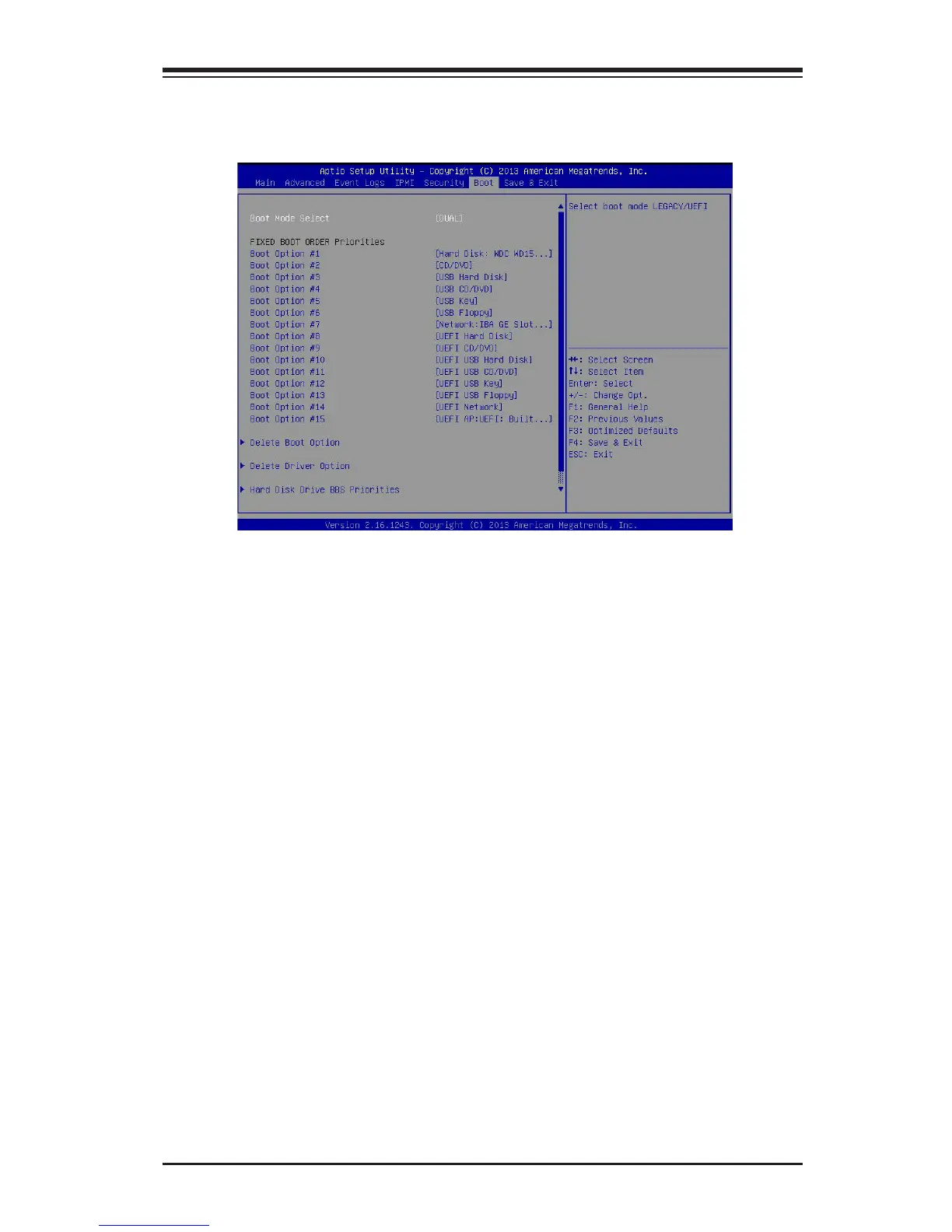
4-7 Boot Settings
Use this feature to congure Boot Settings:
Boot Mode Select
Use this item to select the type of device to be used for system boot. The options
are Legacy, UEFI, and Dual. The default setting is Dual.
Fixed Boot Order Priorities
This option prioritizes the order of bootable devices that the system to boot from.
Press <Enter> on each entry from top to bottom to select devices.
•Dual Boot Order #1
•Dual Boot Order #2
•Dual Boot Order #3
•Dual Boot Order #4
•Dual Boot Order #5
•Dual Boot Order #6
•Dual Boot Order #7
•Dual Boot Order #8
•Dual Boot Order #9



 To Next Page