Page 5 of 24 Form 0159J 1815 03/10/2008
Superchips Inc.
Superchips Inc. 1790 East Airport Blvd., Sanford, FL. 32773 (407) 585-7000 http://www.Superchips.com
Superchip & Superchips are registered trademarks of Superchips, Inc.
FLASHPAQ
Overview and Setup
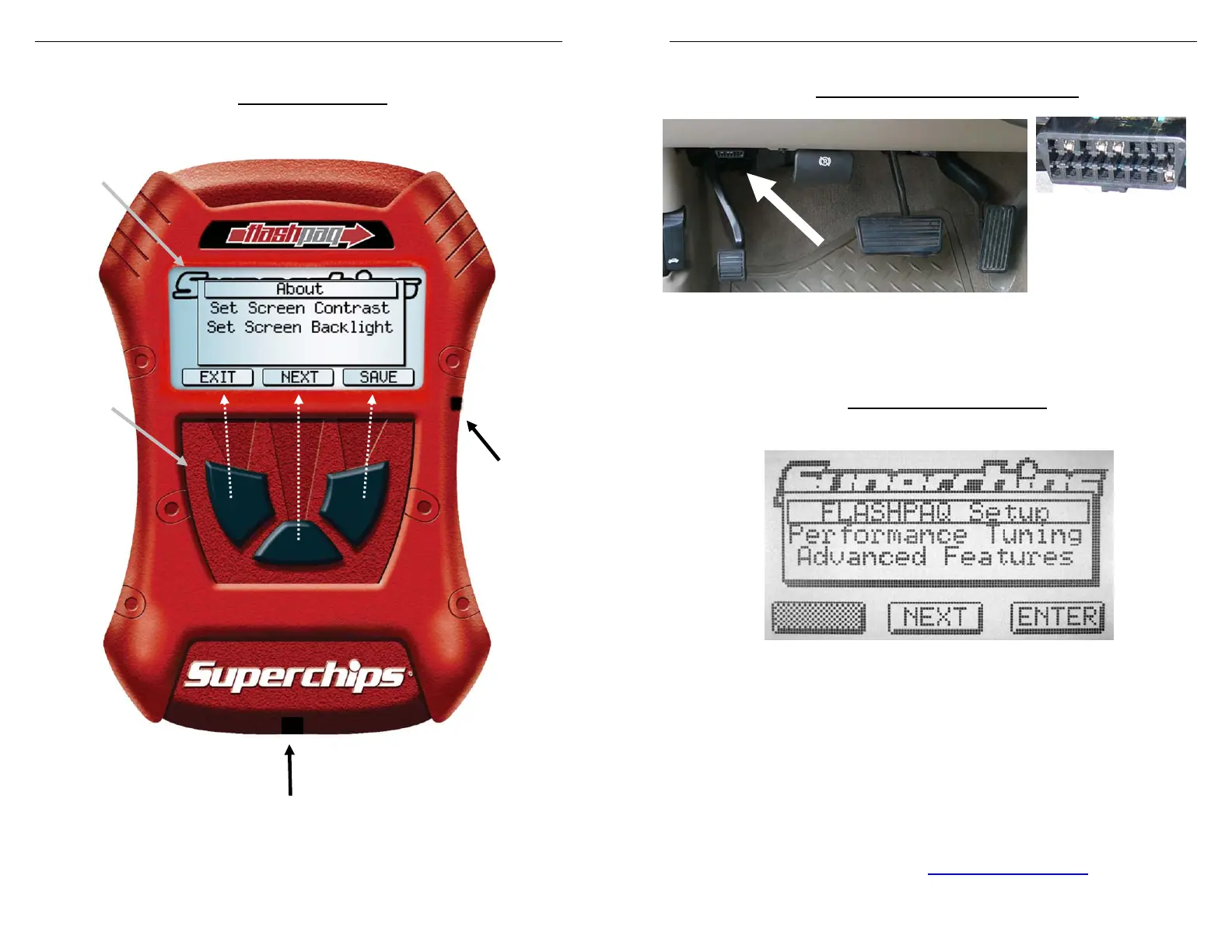
¾ Hardware Overview
The screen text on your particular
FLASHPAQ
Tuner may differ from the example above.
Graphical Display
Soft Key
Buttons
Note:
screenrelation
Vehicle Cable
USB
Port
for PC
Page 6 of 24 Form 0159J 1815 03/10/2008
Superchips Inc.
Superchips Inc. 1790 East Airport Blvd., Sanford, FL. 32773 (407) 585-7000 http://www.Superchips.com
Superchip & Superchips are registered trademarks of Superchips, Inc.
FLASHPAQ
Overview and Setup
¾ Connecting the tuner to my vehicle
Diagnostic port
Close-up
The Flashpaq plugs into your vehicle’s The port and cable are
diagnostic port usually underneath the dash setup to only fit on one
below the steering wheel (see white arrow). way. Typically the wider
edge faces the top, as
shown above.
¾ Opening Screen Overview
When a Flashpaq is first powered up, the opening screen is displayed
Flashpaq Setup
o About
o Set Screen Contrast
o Set Screen Backlight
Performance Tuning
o Read Vehicle
o Change Settings
o View Settings
o Program Vehicle
Advanced Features
o Diagnostic Codes
o Data Logging (visit www.superchips.com
for updates)



 To Next Page