Version V1.3
is the manual test mode, and is switched by the " CHIP" key;
NOTE 2:The second digital tube represents the pixel point channel of the luminaire, 1 is a monochrome
single-channel luminaire, 2 is a two-color two-channel luminaire, 3 is an RGB three-color luminaire, and 4 is an
RGBW four-color luminaire, which is switched by a “mode MODE” key;
NOTE 3
:
The 4th-6th digit tube indicates the number of the lights.
4. After the test is powered off and restarted, the controller can enter the normal play mode.
十、Specific parameters:
Physical parameters: Memory card:
Working temperature: -30°C—85°C Type: SD card
Working power supply: DC 5V -24V input Capacity: 128MB-32GB
Power consumption: 2W Format: FAT or FAT32 format
Data transmission port: 3pin terminal block Storage file: *.led
Weight: 0.35Kg
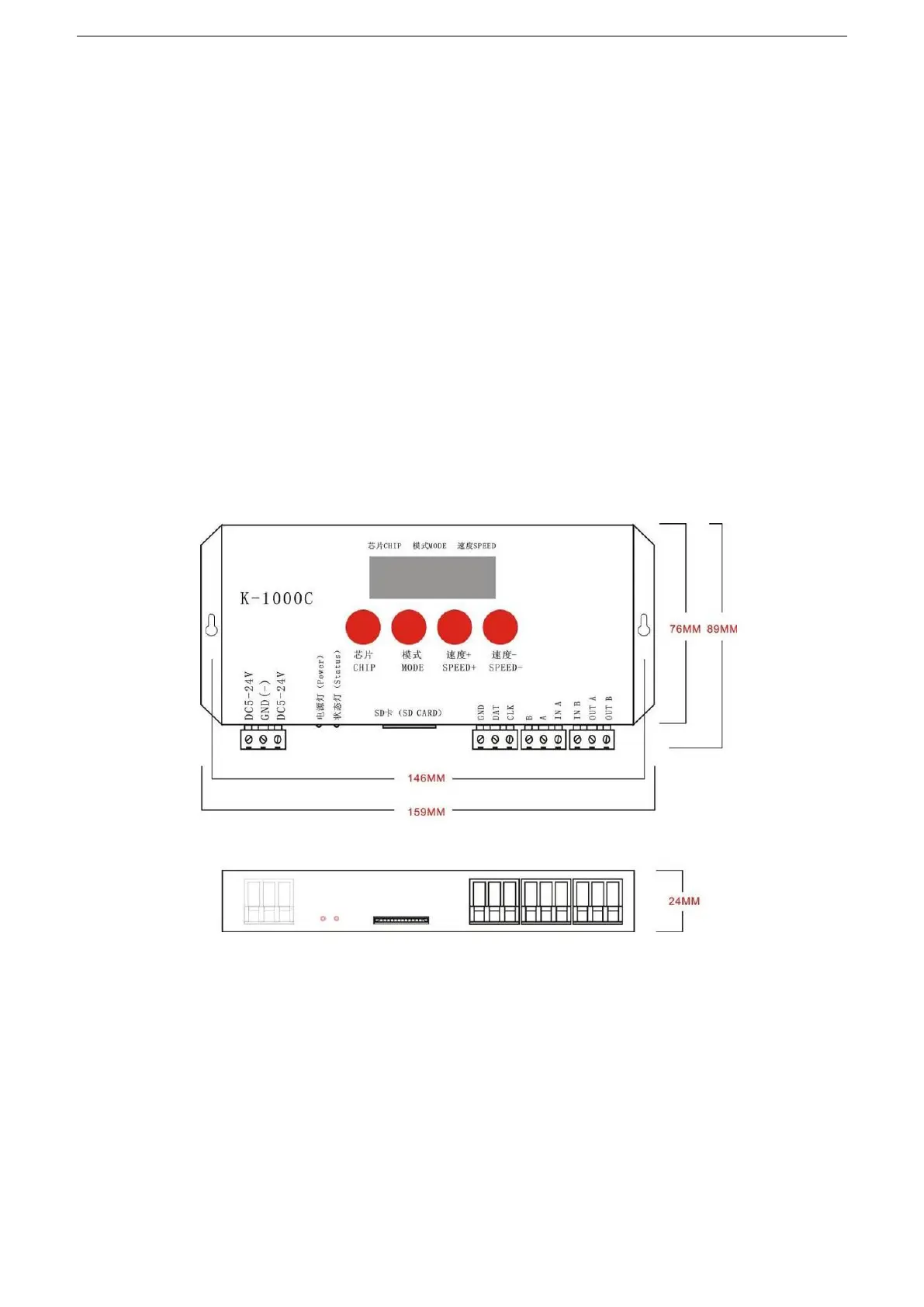
Size:
十一、SD card formatting
1
、
The SD card must be formatted before copying the file to the SD card (note that it is formatted before each
copy).
2
、
Formatting process
①SD card settings - "File System", "FAT" format (SD card capacity
≤
2G) or "FAT32" format (SD card
capacity ≧ 4G).
②SD Card Settings - "Assign Unit Size", click the drop down button to select "Default Configuration


 To Next Page