Version V1.3
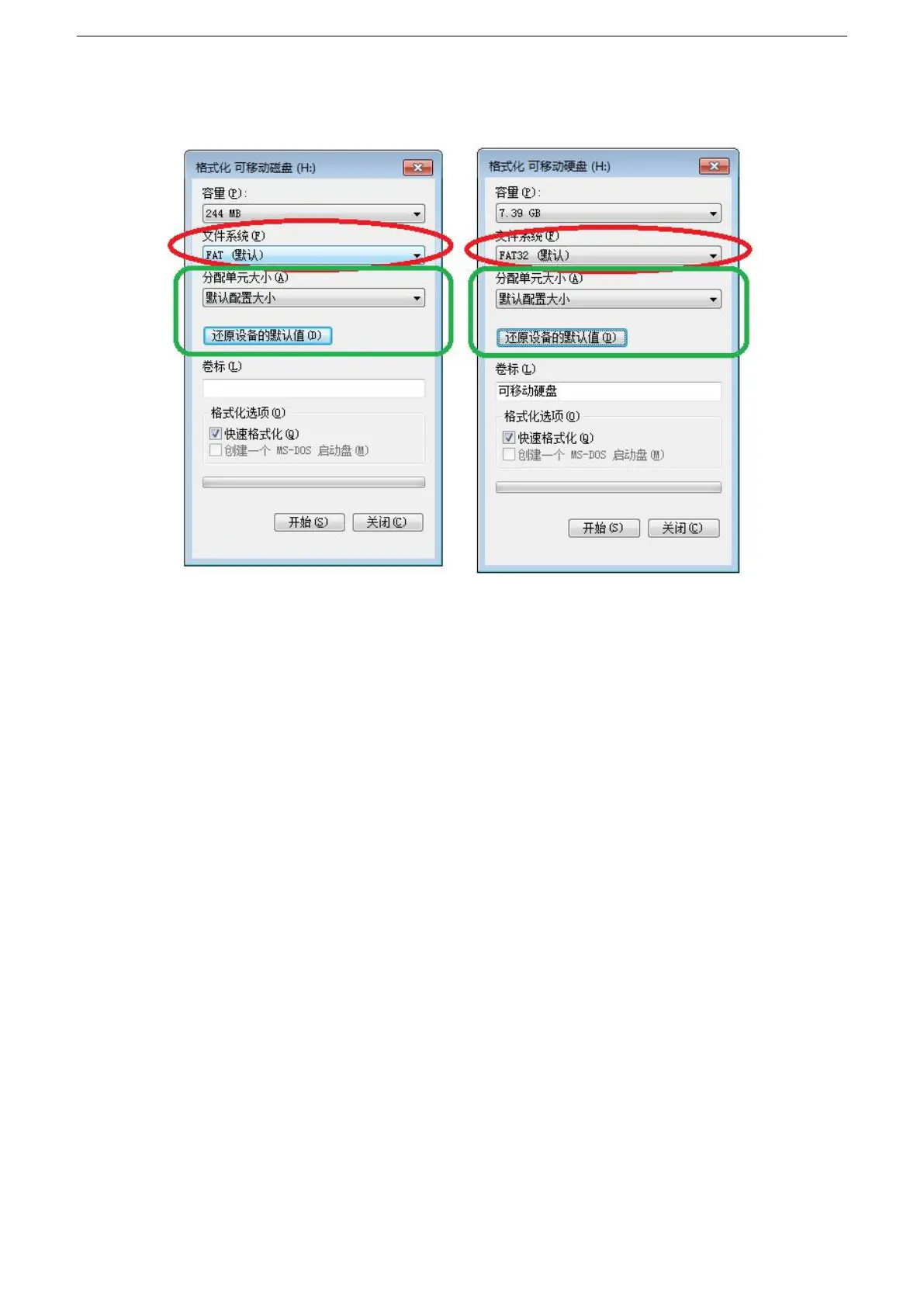
Size" or click the "Restore Device Defaults" button.
③Start formatting.
As shown below:
3
、
The SD card cannot be hot swapped, that is, the power of the controller must be disconnected each time
the SD card is inserted or removed.
Common problem handling:
Question 1: After power-on, the controller screen is displayed as F F F and there is no effect output.
A: The screen displays FFF indicating that the controller is not reading the card correctly. Possible problems are:
①SD card is empty, no effect file.
②SD card inside the effect file *.led file and controller model does not match, please select the controller
model, chip model in the latest version 2016LedEdit, and re-create the effect file *.led.
③After replacing the SD card, test it again to eliminate the possibility of SD card failure.
Question 2: After power-on, the controller outputs the built-in effect, no SD card effect playback
A: The controller can not detect the SD card and automatically plays the built-in program:
①The controller does not insert an SD card and inserts an SD card.
②The card has been inserted, the SD card is not inserted in place, and the SD card is reinserted.
③The card has been inserted, the controller does not match the SD card, the SD card is not detected,
and the matching SD card is replaced.
Question 3: After the controller is powered on, the indicator light is normal, but the lamp has no effect change.
A: The reasons for this situation are as follows:
①Please check if the signal line of the luminaire and the controller are connected correctly.
②The signals of conventional luminaires are divided into in and out, and it is determined whether the


 To Next Page
 Loading...