Version V1.3
8. Press and hold "Chip CHIP" first, then press the "Mode MODE" button to switch to playback mode and switch
the chip to Chip: 10, it is the DMX512 standard protocol 250Kbps playback mode. At this time, press the mode
button and the speed button to switch the playback mode and adjust the speed respectively, as shown below:
八、DMX512 light one-button address writting
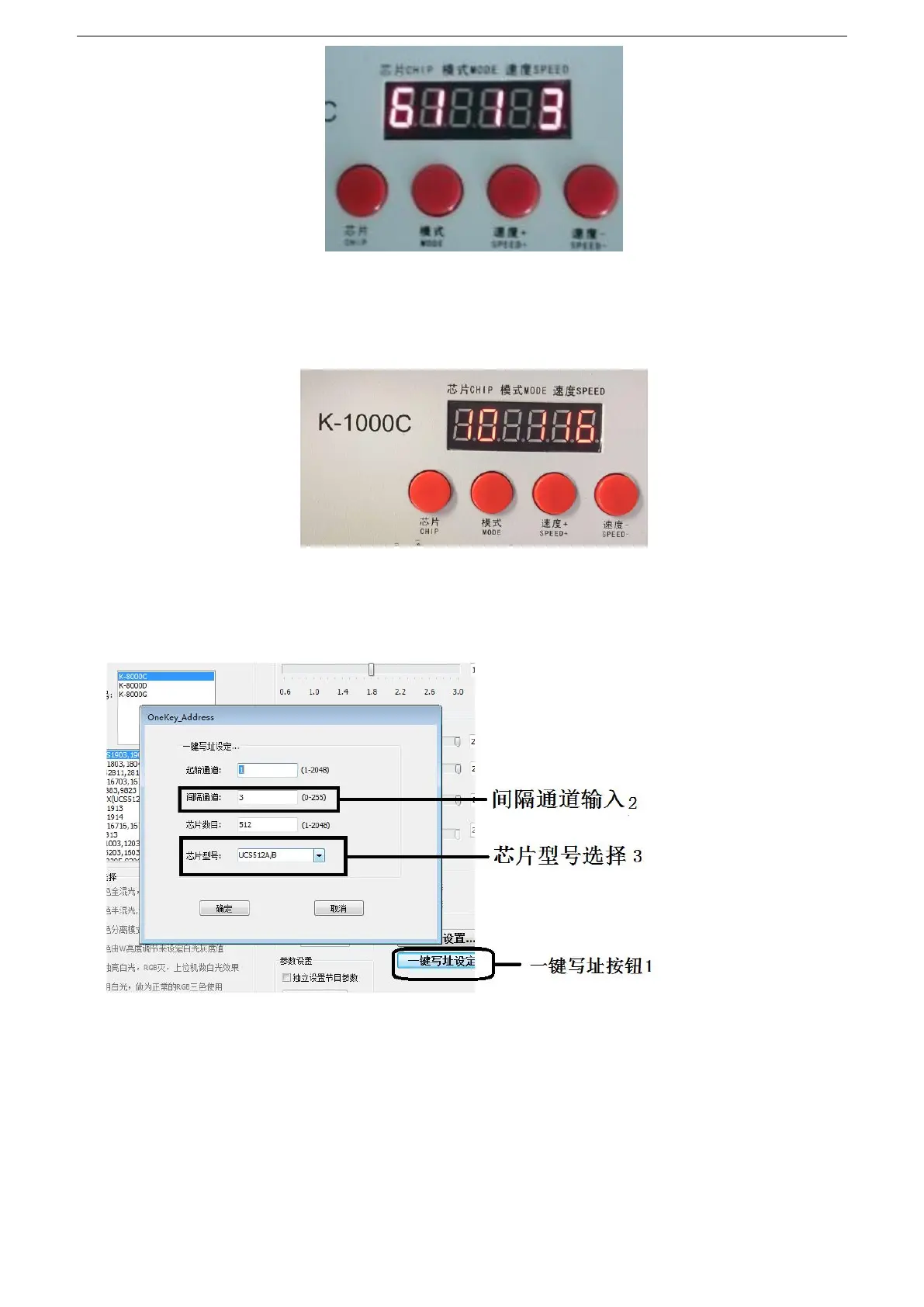
1. When the software writes the program output, click the button to enter the one-click address
interface.
2. Interval channel input
The interval channel is input according to the actual value of the luminaire. The value is the
number of channels occupied by a DMX512 IC to control the pixel points of the luminaire.
3. Chips mode selection
Click the drop-down button to select the chip model corresponding to the DMX512 IC on the
lamp.


 To Next Page
 Loading...