12
If you would like to use the equipped headphone output jack of E205U as the
monitoring:
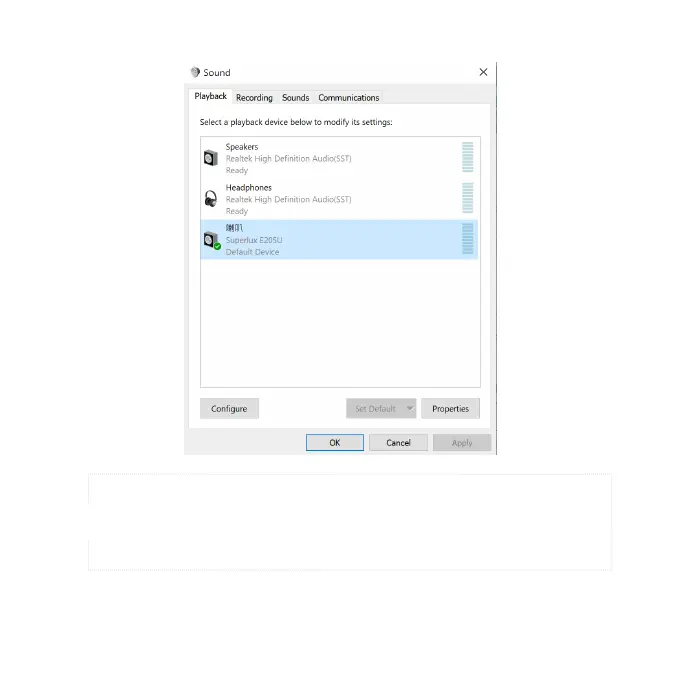
Hit “Playback” tab >> Click “Superlux E205U” >> Click “Set Default” to select
Superlux E205U as the default microphone.
5
*Notice: If there is already the green tick next to the E205U speaker symbol and the “Set Default” button is not able to be
hit (dark gray color), the Superlux E205U has been selected as the default device successfully.


 To Next Page