6
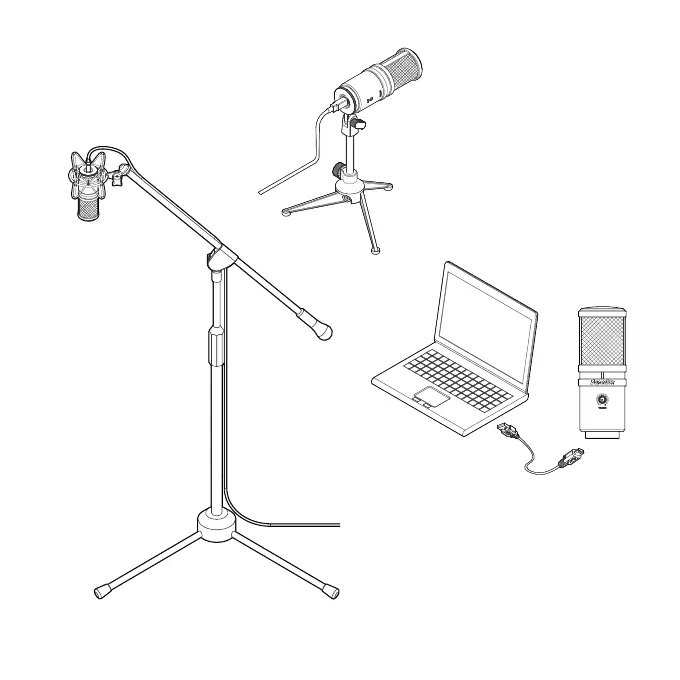
ON A TABLE
Through optional table stand
HM6, You may put the E205U
on a table and do recording.
ON A STAND
By using a micro-
phone stand, the
E205U can be
mounted on it for
recording.
CONNECTIONS USB CONNECTOR
A separated 3-meter cable with USB
A-type connector allowed to be connected
to a computer with USB port.
*Notice: The included USB cable is for laptop with A-type
connector. For computer with another connector type (ex.
C-type), please use connector adaptor.
INSTALLATION


 To Next Page