6
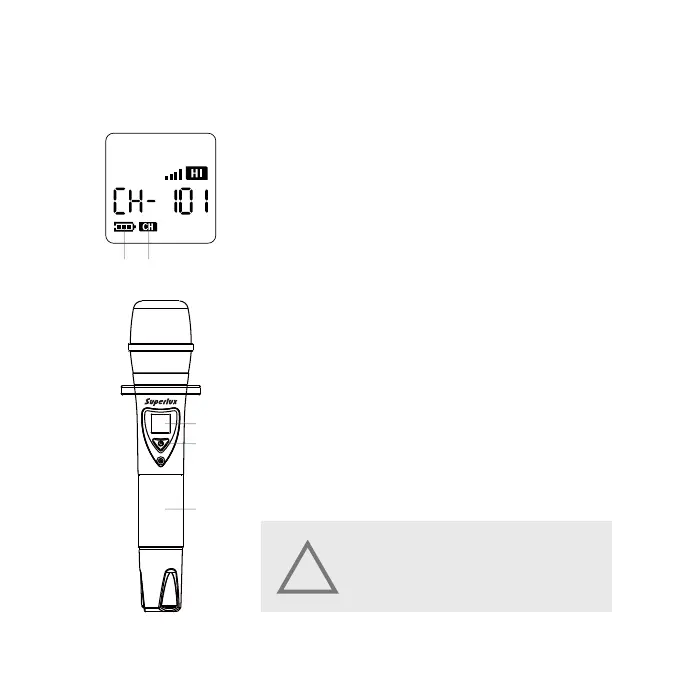
Microphone LCD Screen Description
① Battery bar indicator. When the battery shows 1
grid, it means it is in low battery. Please change the
battery immediately.
② Channel Display.
MICROPHONE DESCRIPTION
Microphone Main Parts Description
① Microphone LCD screen.
② Microphone ON / OFF Button
Press to turn on the microphone and press 3 sec-
onds to turn off the microphone.
③ Battery case. Open the battery case to assemble the
batteries into the battery case. (2 × AA batteries).
①
①
②
②
③
WARNING!
When leaving or not going to use the microphone for a
long time, please do take out the battery from the battery
case to avoid the leakage to damage the microphone.
!


 To Next Page