operation,thescreenwillautomaticallygoout.
(2)Operatinginstructions:
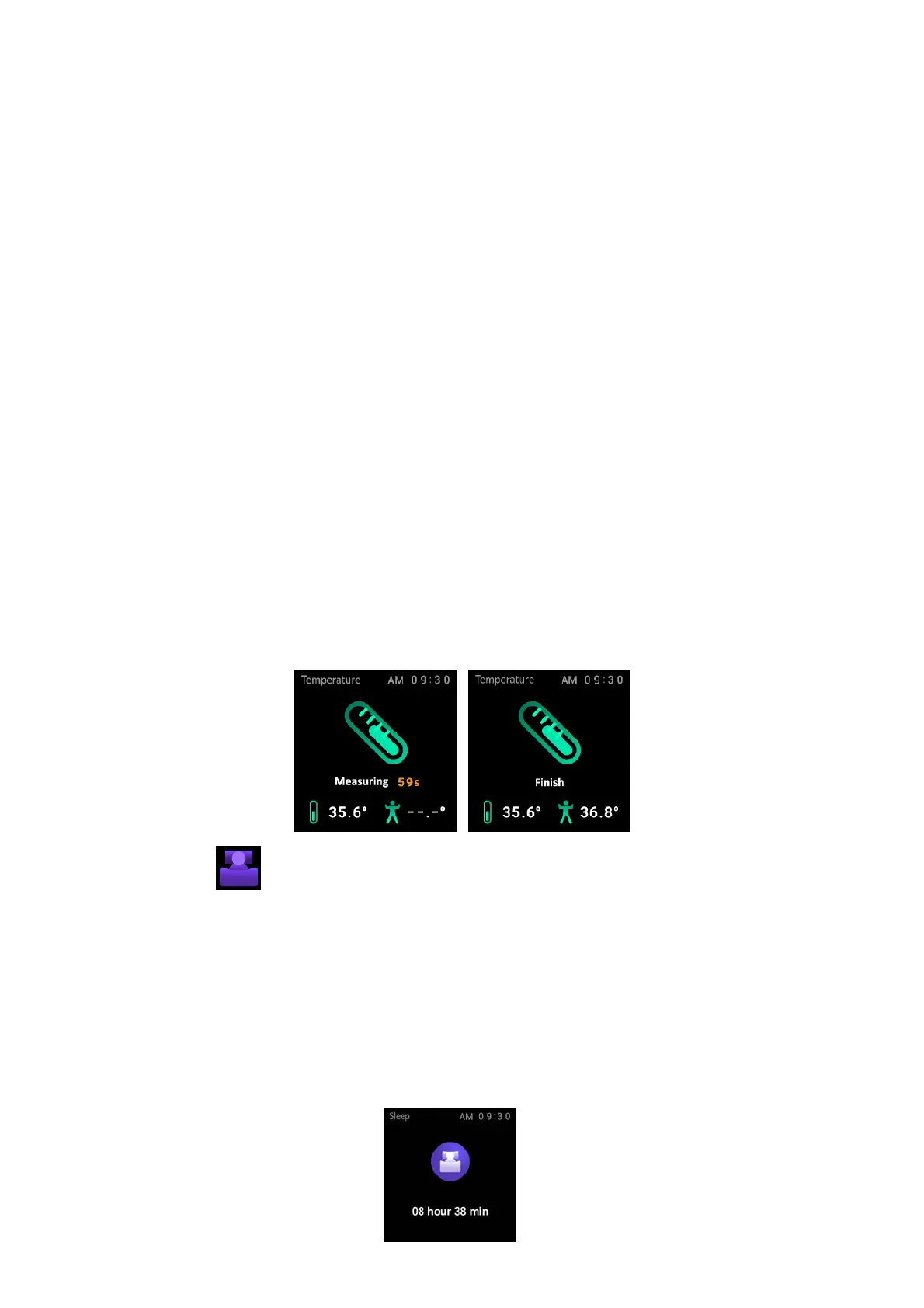
Temperature measurement: slide to the left on the main interface
and click the temperature static icon to switch to the temperature
measurement interface. Once the interface is entered, the
measurementwillstart.TheleftdataisforBodysurfacetemperature,
it
is changed in real time. The right data is for Body temperature,
measuring 60s to complete the measurement. During the
measurement, the interface value will be show “‐‐.‐”. After the
measurementiscompleted,thevaluewillbedisplayed.
Remark:Duringtestingbodytemperature,environmenttemperature
requirewithin18‐
30℃.
4.4.5 Sleep
(1)Functionintroduction:Thewatchwilldisplaytheuser'ssleeptime
thenightbefore.(Sleepmeasurementtime21:30‐12:00nextday)
(2)Operationinstructions:slidethemaininterfaceleftandright,click
sleeptoswitchtothesleepinte rface,youcanviewthesleeptimeof
thepreviousday.


 To Next Page
 Loading...