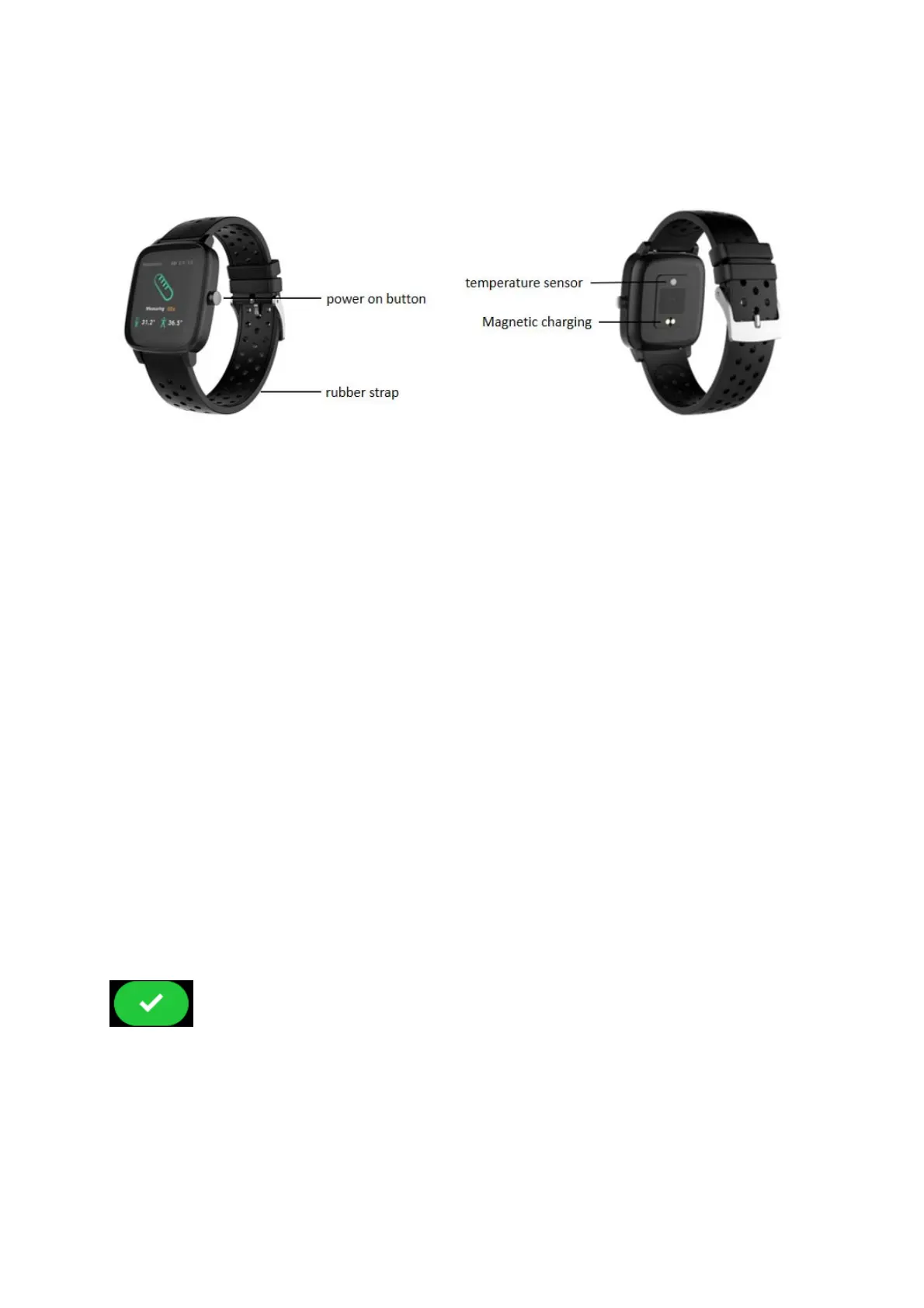
2.Productdetails
2.1Productdetails
(1)Poweron:Whenthewatchisintheoffstate,pressandholdthe
power key for five seconds to turn it on, and the main page of the
watchwillbedisplayedafterbooting.
(2)Touchscreenoperation:Swipetotherighttothemenupage,then
tapthe
functionicontoenterthecorrespondingsub‐interface.
(3) Bright screen: When the watch is in the state of interest screen,
you can touch the screen bright screen. If the turn button is turned
onintheAPP,theusercanalsoachievethebrightscreenbyturning
thewrist,
andthewatch is displayed after the screenis bright.Main
interface.
(4) Shutdown: Click the Setting icon, click System‐Shut down, click
toshutdown.
3.Productsquickinto
3.1Productsquickinto


 To Next Page