Touchdialdefinition
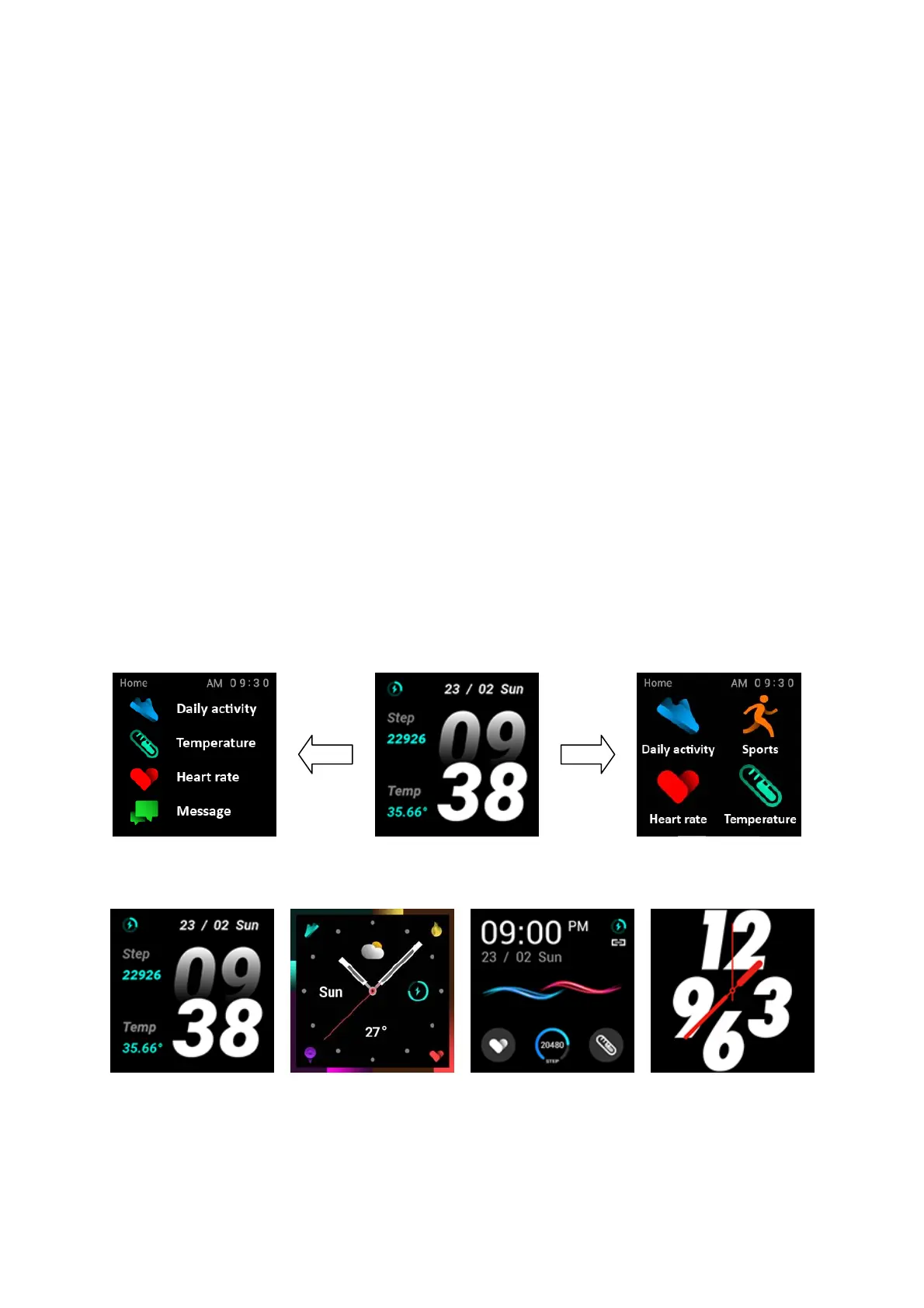
(1) Long press the main interface: enter the home page thumbnail,
youcanviewitleftandright,clicktouchtoswitchthehomepage.
(2) Slide to the right: display function list‐> Daily activity,
Temperature, Heart rate, Message, Sports, Sleep, Weather, Music,
Relax, Timer, Find phone,
Setting, etc., click touch to enter the
correspondingfunction(listcanbeupanddownSlide)
(3) Sliding down:Display:date,Bluetooth, power function icons are:
Timer,Brightness,Setting,DoNotDisturbmode.
(4)Slideup:informationstorage,heartratemonitoring,Dailyactivity.
(5) Slide to the left: display the
static icon, click to enter the
correspondingfunction,rightstroketoreturntothepreviouslevel.
3.2ClockDisplay
Settingmethod:
Power on,when the watch in clock mode, please long press middle


 To Next Page