
 Need help?
Do you have a question about the Supersonic SC-31 and is the answer not in the manual?
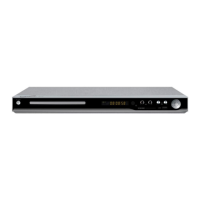
Overview of the DVD player's front panel controls and ports.
Details the various output and input connectors on the rear of the unit.
Identifies and explains the functions of all buttons on the remote control handset.
Configures general playback settings like TV display, language, and screen saver.
Adjusts audio output settings, including speaker configuration, downmixing, and digital audio output.
Allows adjustment of microphone input, volume, and echo level for karaoke functions.
Customizes subtitle appearance, including code, font, colors, and background.
Configures video output settings such as component, resolution, quality, and HDMI.
Sets preferred languages for TV type, audio, subtitles, and disc menus.
 General
| Brand | Supersonic |
|---|---|
| Model | SC-31 |
| Category | DVD Player |
| Language | English |

 To Next Page