Chapter 5 Setting
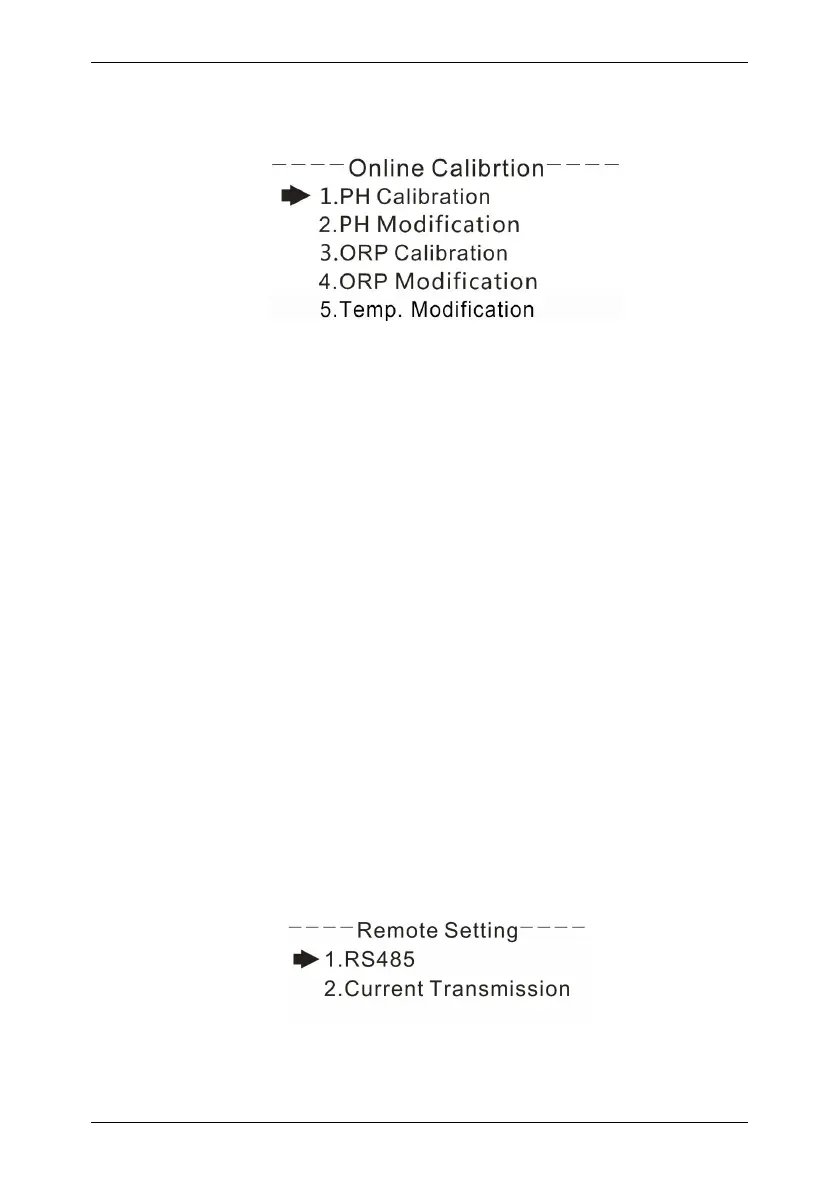
5.3 Online calibration
pH Calibration: Enter the pH calibration screen, the first pH electrode into
the 4.00pH standard solution, standing for a moment, to be stable after the
show, press the 【ENT】, then the pH electrode into the 6.86pH standard
solution Set the pH electrode into the 9.18pH standard solution, put it aside
for a moment, after the test is stable, press 【ENT】, the display shows the
success of the calibration, the whole process of pH calibration completes.
pH Modification: The measured pH can be modified between 2 pH values.
ORP Calibration: enter the ORP calibration screen, the first ORP electrode
into the 86mV standard solution, standing for a moment, to be shown after
the stability, press the【ENT】, then the ORP electrode into the 256mV
standard solution, static Set a moment, after the display is stable, press the
【ENT】display calibration is successful, ORP calibration process is over.
ORP Modification: The measured ORP can be modified between 300mV.
Temp. Modification: You can correct the temperature of the automatic
temperature compensation, the correction range is ± 20.0 ℃.
5.4 Remote transmission setting
RS485 setting: settings of 485 communication address and baud rate.



 To Next Page