
 To Next Page
В
ВасилийNov 20, 2025
Как войти в меню

Как войти в меню
Explains warning symbols and their meanings for safe operation of the machine.
Lists hazardous environmental conditions to avoid when using the machine.
Outlines important notes for product usage and electrical safety precautions.
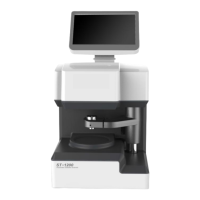
Identifies and illustrates the major external components and ports of the optical scanner.
Details the steps and requirements for installing the optical scanner on a stable platform.
Explains the instrument's main interface and its graphical elements for operation.
Guides on how to scan a lens template, including positioning and recognition steps.
Details how to modify scanned lens template data, including specific adjustments.
Describes methods for centering lenses using geometric or optical modes.
Covers accessing the menu for calibration, language, and data management.
Details the procedures for correcting size and calibrating the center meter.
 General
| Brand | Supore |
|---|---|
| Model | ST-1200 |
| Category | Medical Equipment |
| Language | English |