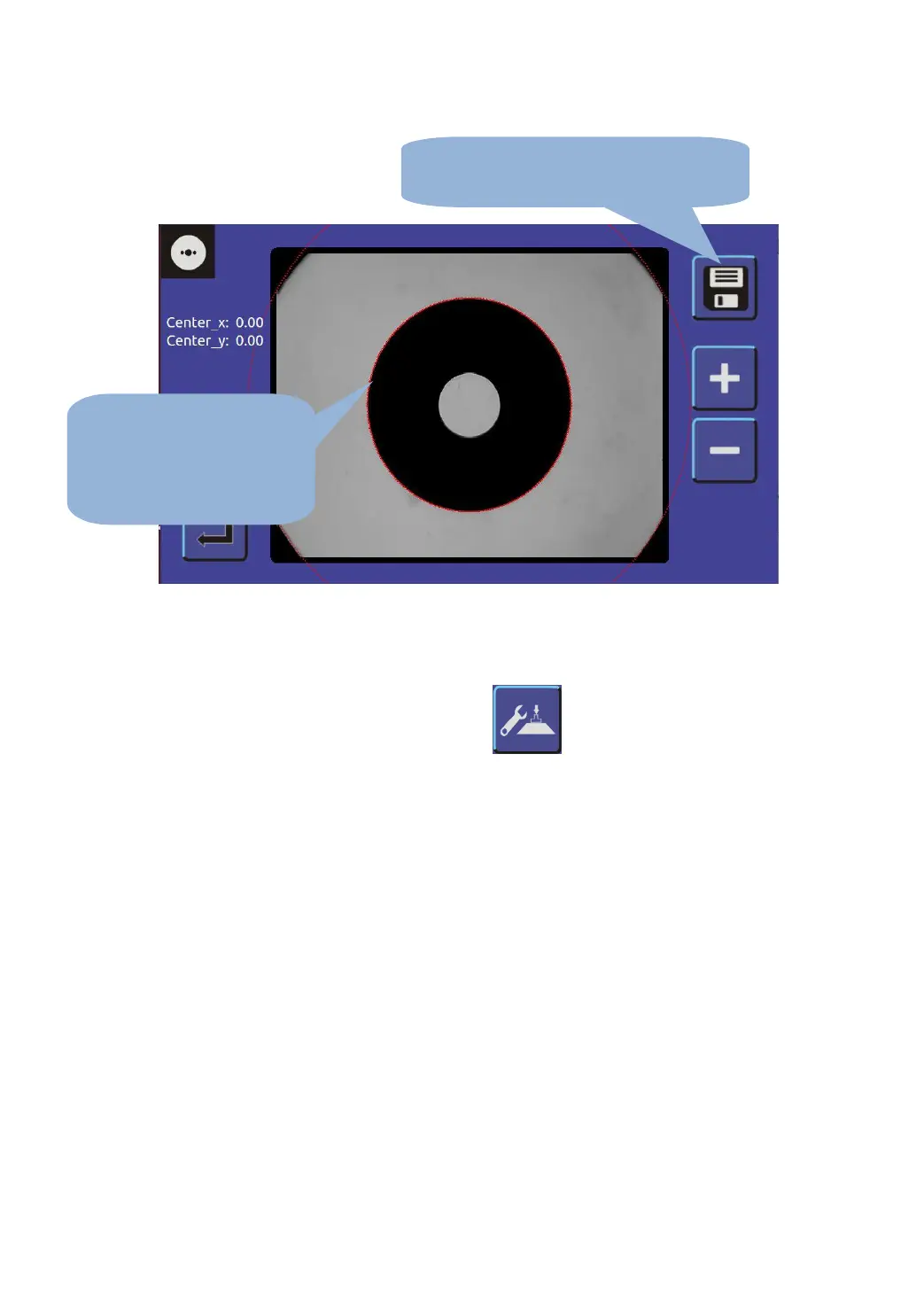
2.2.7 Calibration of center meter
A. Click menu interface button , enter the dimension
calibration interface;
B. Take the calibrating tools, into the suction cup holder, the rotating
center of the arm, under pressure;
1. Move calibrating board,
click + - button, adjust the
red circle and the calibrating
board overlap
2. Red circle and the school board coincide,
click save, system automatic correction.


 To Next Page