2.2.2 Scanning lens template
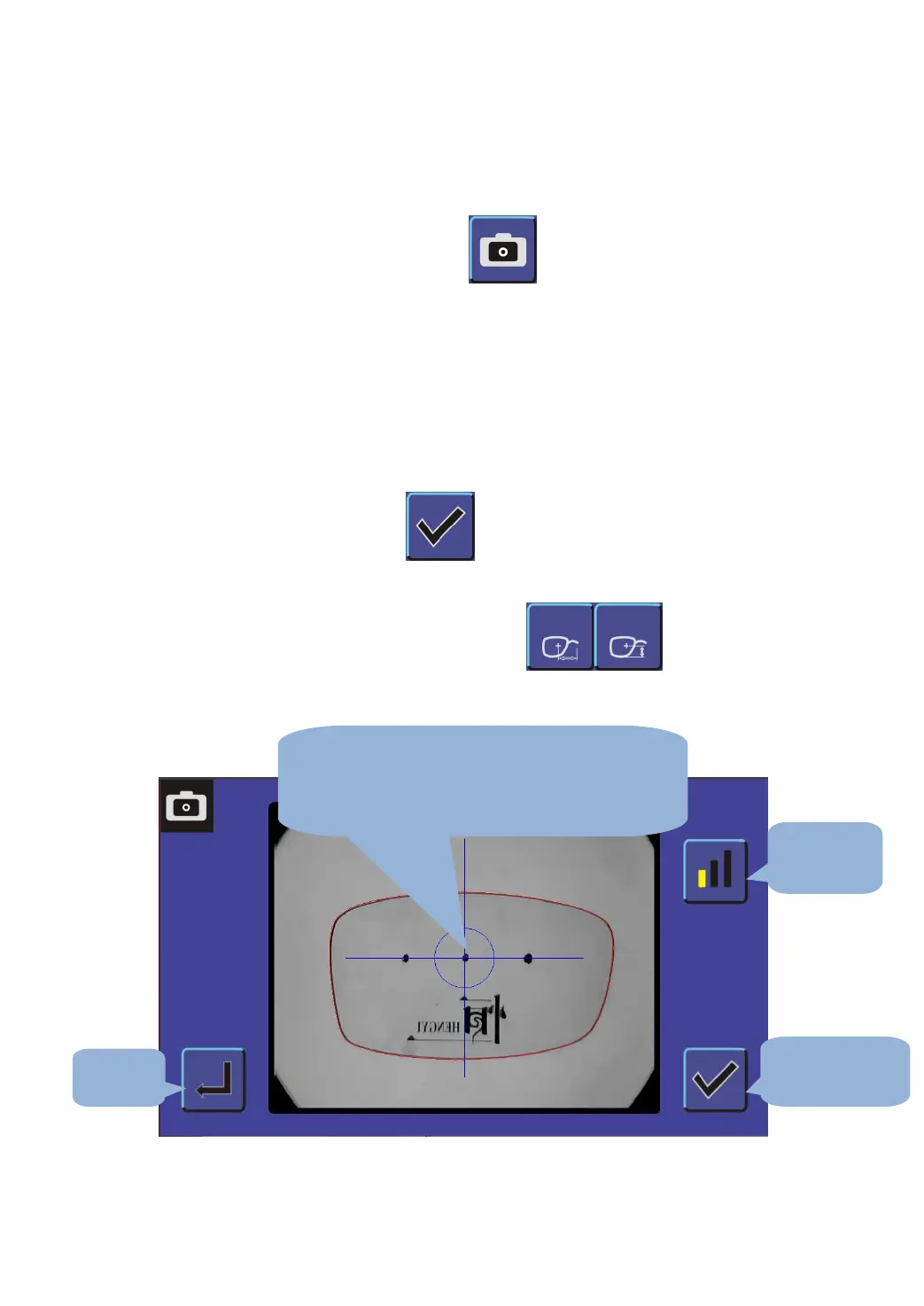
A. Click on the main interface button,enter the lens template
scanning interface;
B. Use of the focal length of the lens template for management;
C. Remove the lens in the lens carrier template, template, convex
concave upward downward.
D. Three points on the template and the Blue Cross horizontal line
overlap, as chart 2-4;
E. System automatically recognize the template contour, red graphics
appear after, press ;
F. The input frame from the nose, as shown in Fig.2-5;
G. Complete the nose is set, click on the interface to set the
pupil distance and pupil high figure as shown in Fig. 2-6,2-7.
Fig. 2-4
1. The template of convex concave upward
downward.
2. Dot and blue cross horizontal line overlap


 To Next Page