Note:
Whenever the batteries need replacement, the LCD remote will indicate
with a "Battery Low" message. Please replace them with new batteries
now.
All settings you have programmed into the new remote control will be
stored in memory even you take off the batteries (but you may need to
reset the clock).
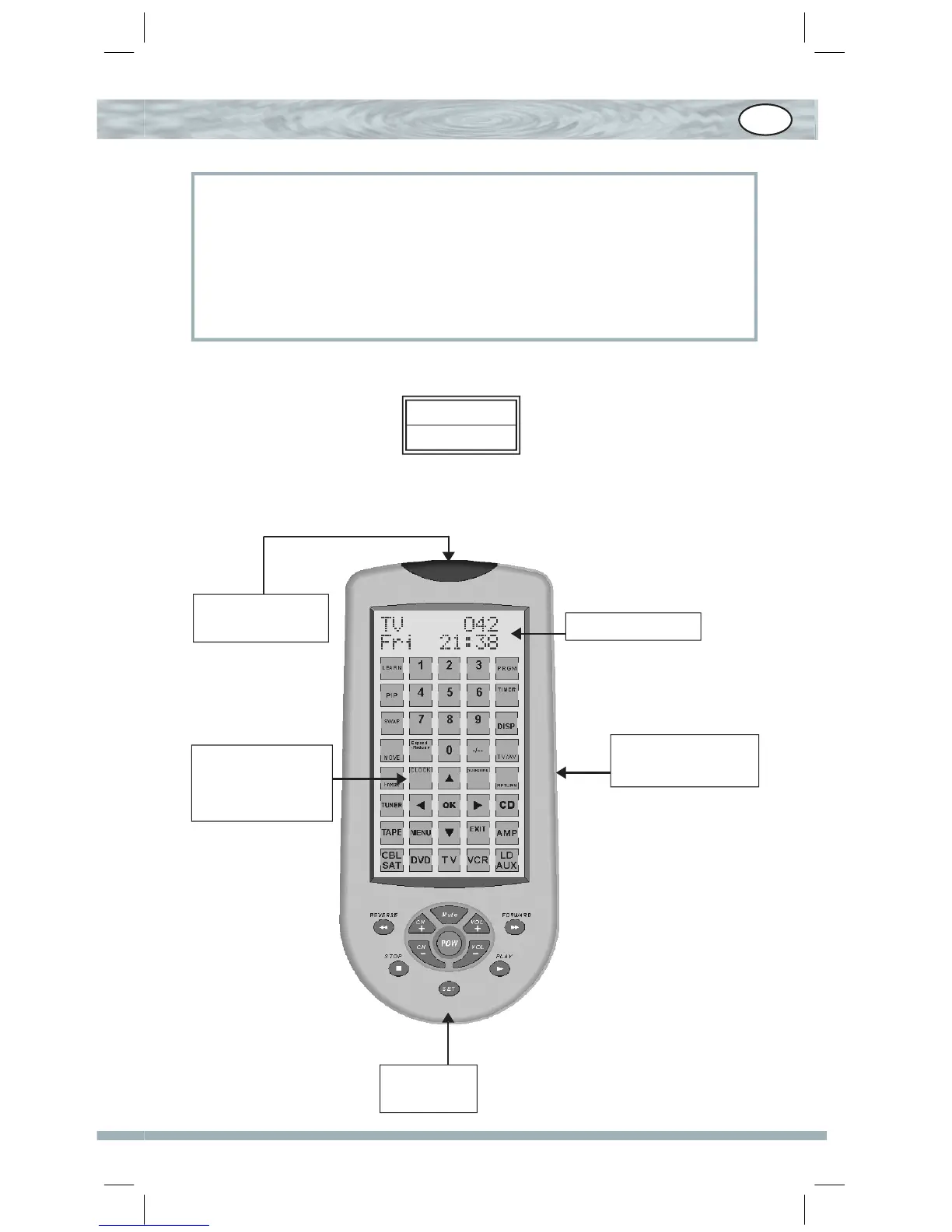
Look at Your Remote Control
Battery Low
SUN 12:00 AM
LED for Visual
Touch Screen
button
Set up key
IR Signal
Emitters
Liquid Crystal
D i s p l a y ( L C D )
screen
GB


 To Next Page