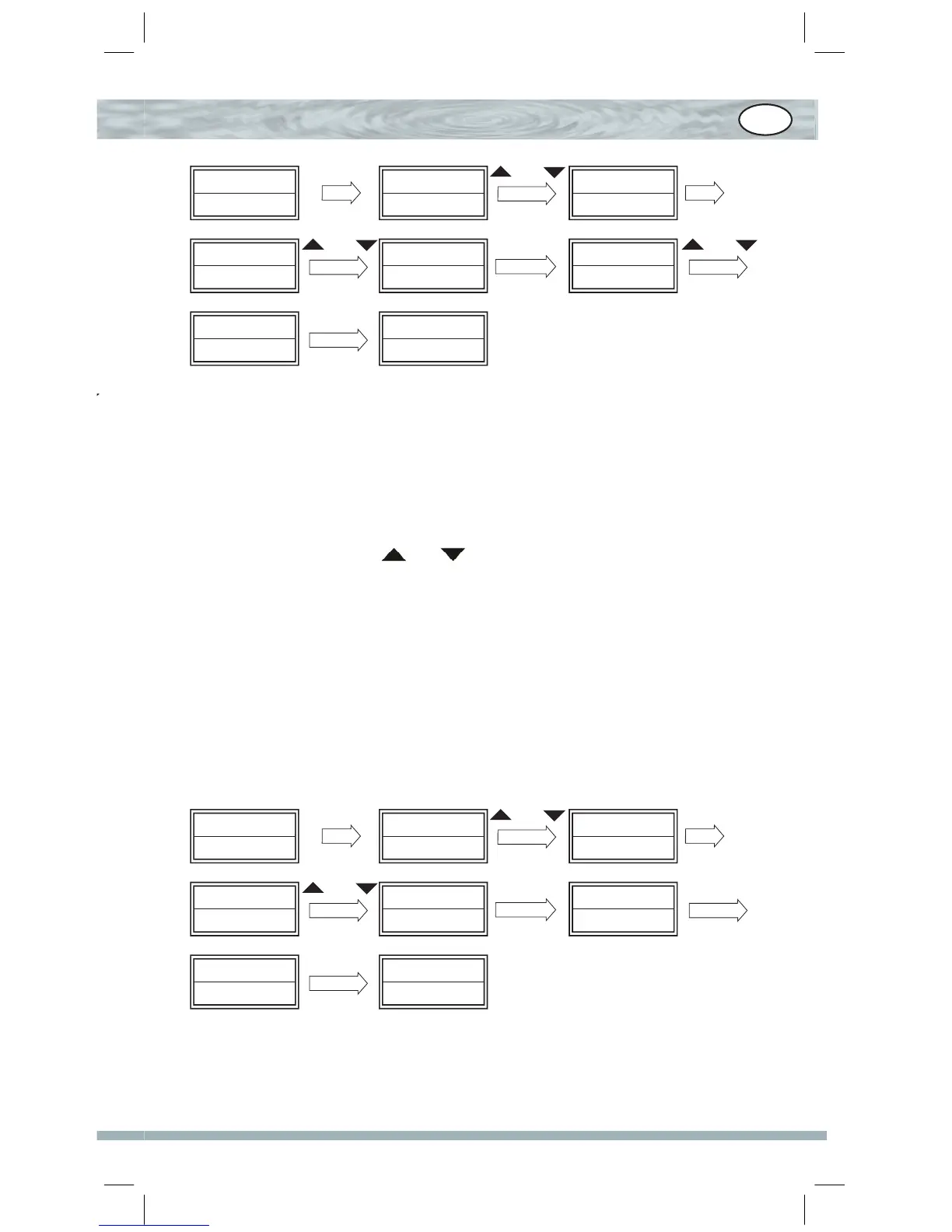
TV 010
SUN 11:45
Code Setup? Configure
Time Setup?
Contrast Contrast
?
Adjust: 08
SET 3S
ou
OK
Contrast
?
Adjust: 10
Seccessful
ou
OK
ou
OK
F. Apagar tudo
Para apagar todos os dados configurados e restaurar as configurações
originais de fábrica.
1. Prima, sem soltar, a tecla “SET” durante mais de 3 segundos, depois
solte-a.
2. Prima as teclas ou para seleccionar “Configure” e, de-
pois, prima a tecla OK.
3. Prima as teclas ou para seleccionar “Clear All?” e, depois, prima
a tecla OK.
4. O visor exibe a indicação “Confirm?”, prima a tecla OK novamente
para confirmar que pretende apagar tudo, o visor exibe a indicação
S u c c e s s f u l durante 2 segundos e restaura os dados configura-
dos de fábrica.
TV 010
SUN 11:45
Code Setup? Configure
Time Setup? Clear all? Confirm?
Adjust: 08
SET 3S
ou
OK
Seccessful TV 042
SUN 12:00 AM
ou
OK
OK
P


 To Next Page
 Loading...