— 30
© 2016 Skier’s Choice, Inc.
Basic Navigation Features
All product features are easily accessed through Quick Access Keys, Touch Point commands
and Menus.
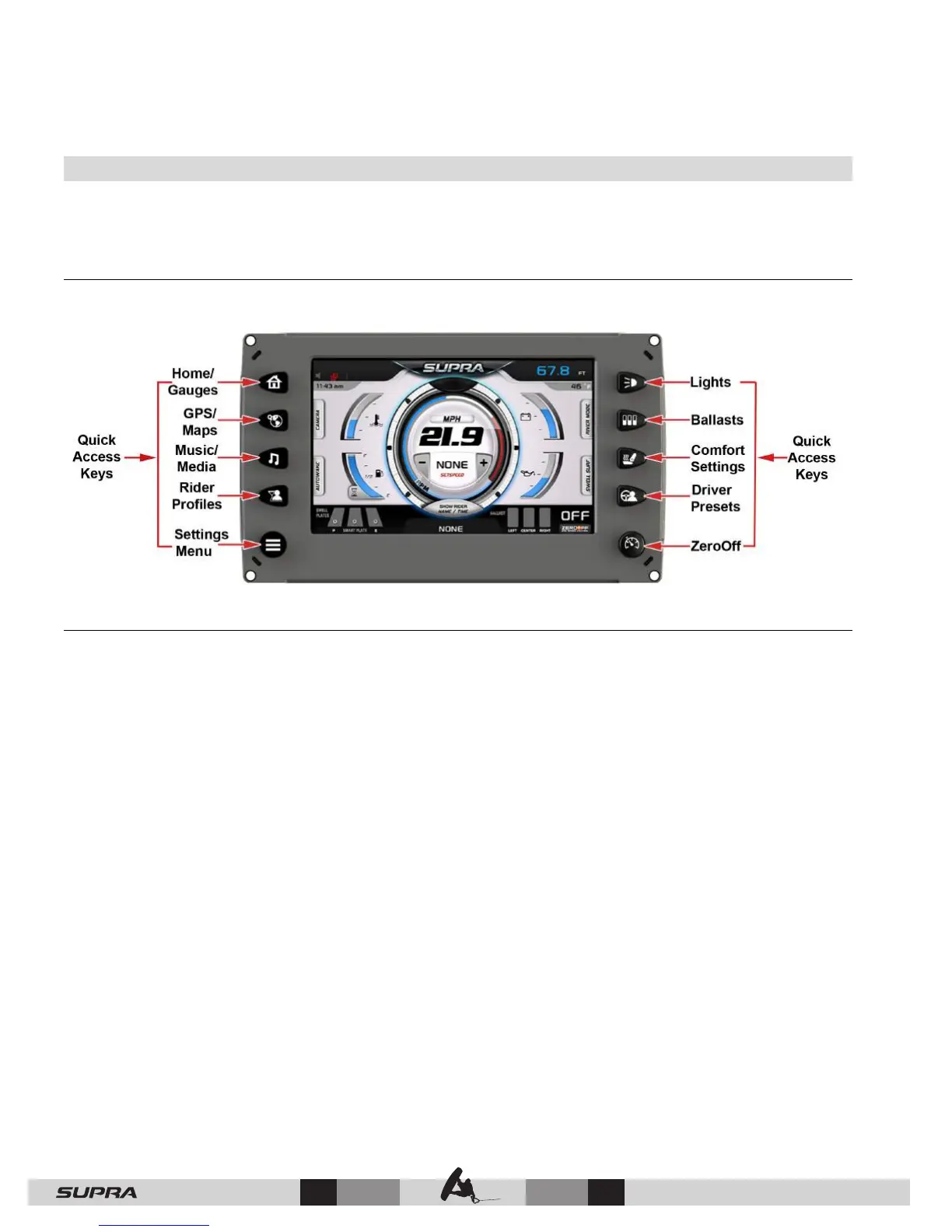
Quick Access Keys
A new screen can be accessed quickly by pressing one of the following Quick Access Keys:
Touch Point Commands
Once the desired screen is accessed, navigation within the screen is controlled with Touch
Point commands. They are executed by touching the screen in areas that are outlined with a
highlighted bezel.



 To Next Page