14
Installation
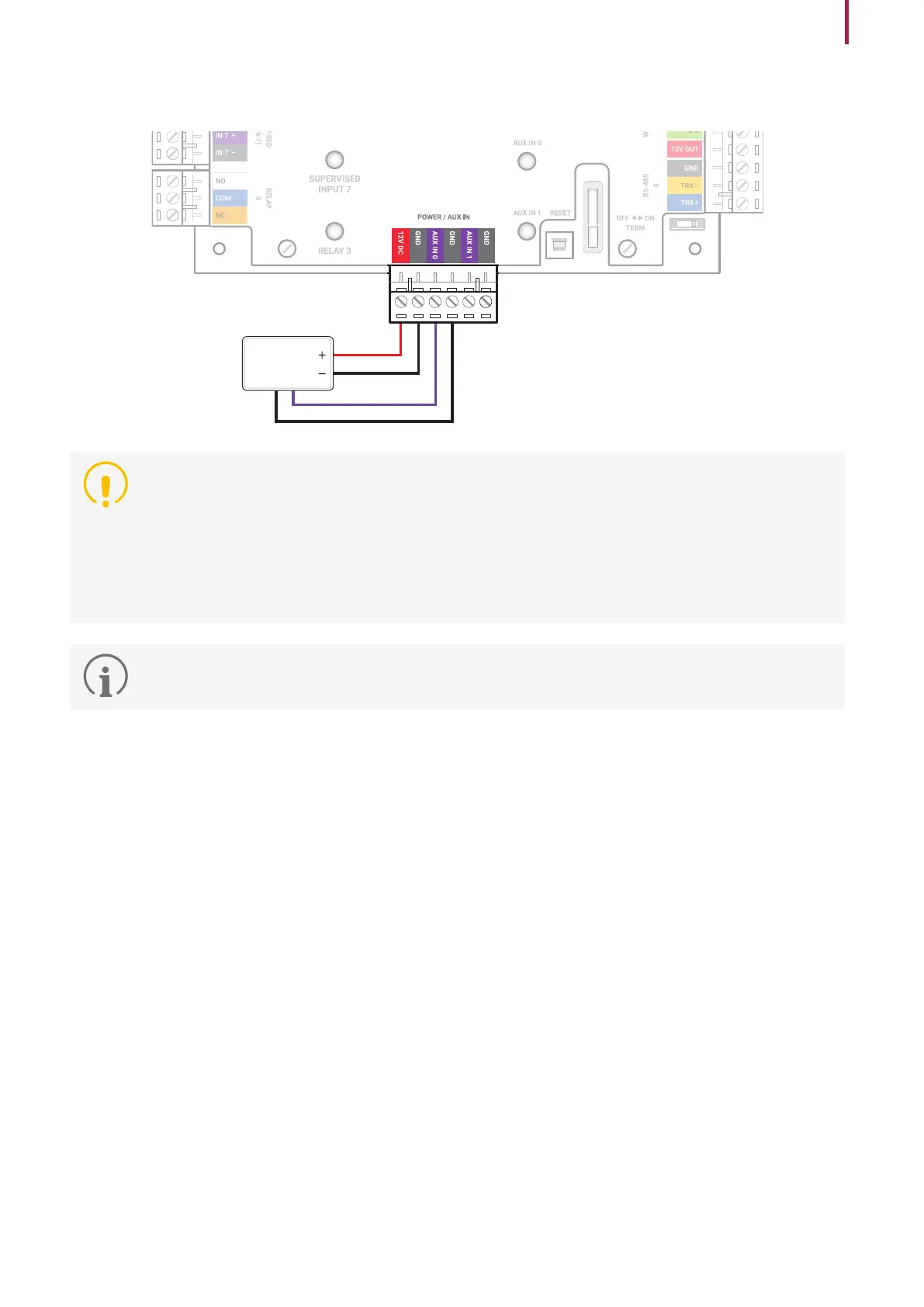
Power Connection
DC Power
•
Make sure to use separate power for the access control device and CS-40.
•
Use the IEC/EN 62368-1 approved power adapter that supports higher power consumption than the product.
If you wish to connect and use another device to the power supply adapter, you should use an adapter with a
current capacity which is the same or larger than the total power consumption required for the terminal and
another device.
‒ Refer to the Power in the product specifications for maximum current consumption specifications.
•
DO NOT extend the length of power cable when using the power adapter.
•
It is recommended to connect and use an Uninterruptible Power Supply (UPS) to prevent power failure.


 To Next Page