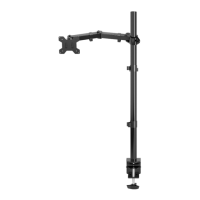
Installation instruction MD6842
Step 5 Adjust the Angle of Monitor
Step 3 Attach the VESA Plate to the Monitor
Step 6 Manage the Wires and Store the Allen Keys on Wire Clip
Step 4 Mount the Monitor on the Rotating Arm
Fixed on the back of the
monitor
Secure the back of the monitor
with a washer
Insert the monitor into the head
of the rotating arm
Screw and lock the monitor with
screws
Adjust the head of the monitor as
necessary to prevent the head of
the monitor from sagging.
Thank you for choosing our products!
q
s
r
h
o
d
Use the supplied Allen Key(o) to do
the necessary adjustment.
The wire is fixed with a clamp (n1).
o
UNPACKING INSTRUCTIONS
Carefully open the carton, remove contents and lay out on cardboard or other
protectivesurface to avoid damage.
Check package contents against the Supplied Parts List in the next page to assure thatall
components wete received undamaged. Do not use damaged or defective parts.
Carefully read all instructions before attempting installation.
IMPORTANT SAFETY INFORMATION
Install and operate this device with care. Please read this instruction before installation,
and carefully follow all instructions contained herein. Use proper safety equipment during
installation.
Please call a qualified installation contractor for help if you don’t understand these
directions or have any doubts about the safety of the installation.
Do not use this product for any purpose or in any configuration not explicitly specified in
this instruction. We hereby disclaims any and all liability for injury or damage arising from
incorrect assembly, incorrect mounting, or incorrect use of this product.
The height of the monitor can be
adjusted by adjusting the tightness
of screw.
o
n1

 Need help?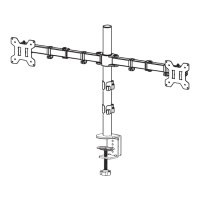

 To Next Page
 General