- Put the side with the white sticker down.
- Pull the head of label paper out from the printer.
Note
(1) Open the labeled paper package.
(2) There is an RFID sticker on the side of the label paper.
The printer needs this label to identify the type of label paper.
The printer cannot work properly when it is removed.
(3) Open the paper tray of the printer.
(4) Pull the rst piece of label tape out of the printer.
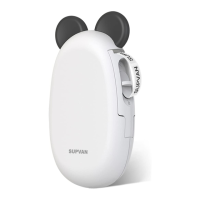
(5) Please see the illustration below for details.
3. Install Label Tape
4


 To Next Page