(1) Hold the Power button for 2 seconds.
(2) Open the App on your phone.
(3) Due to operating system requirements, the Android system will
ask whether to allow Suprint to obtain the location information of
this device. Please choose "Allow only while using the app" or "Allow
once". Otherwise, the operating system will disable the App.
CONNECT TO DEVICE
4 5 6
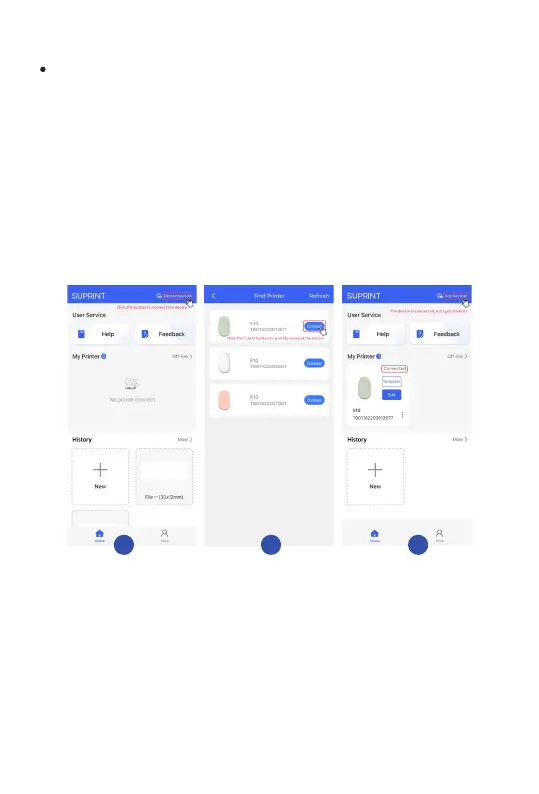
(4) Turn on the Bluetooth on your phone.
(5) Press"Disconnected" on the top right of the App to enter the
Bluetooth pairing menu. Press"connect" to connect to the printer.
(6) When you see"connect success", it means the connection is
successful.
7


 To Next Page