GETTING TO KNOW YOUR
AIR FRYER CONVECTION OVEN
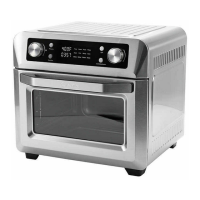
CONTROL PANEL
Figure 3
1
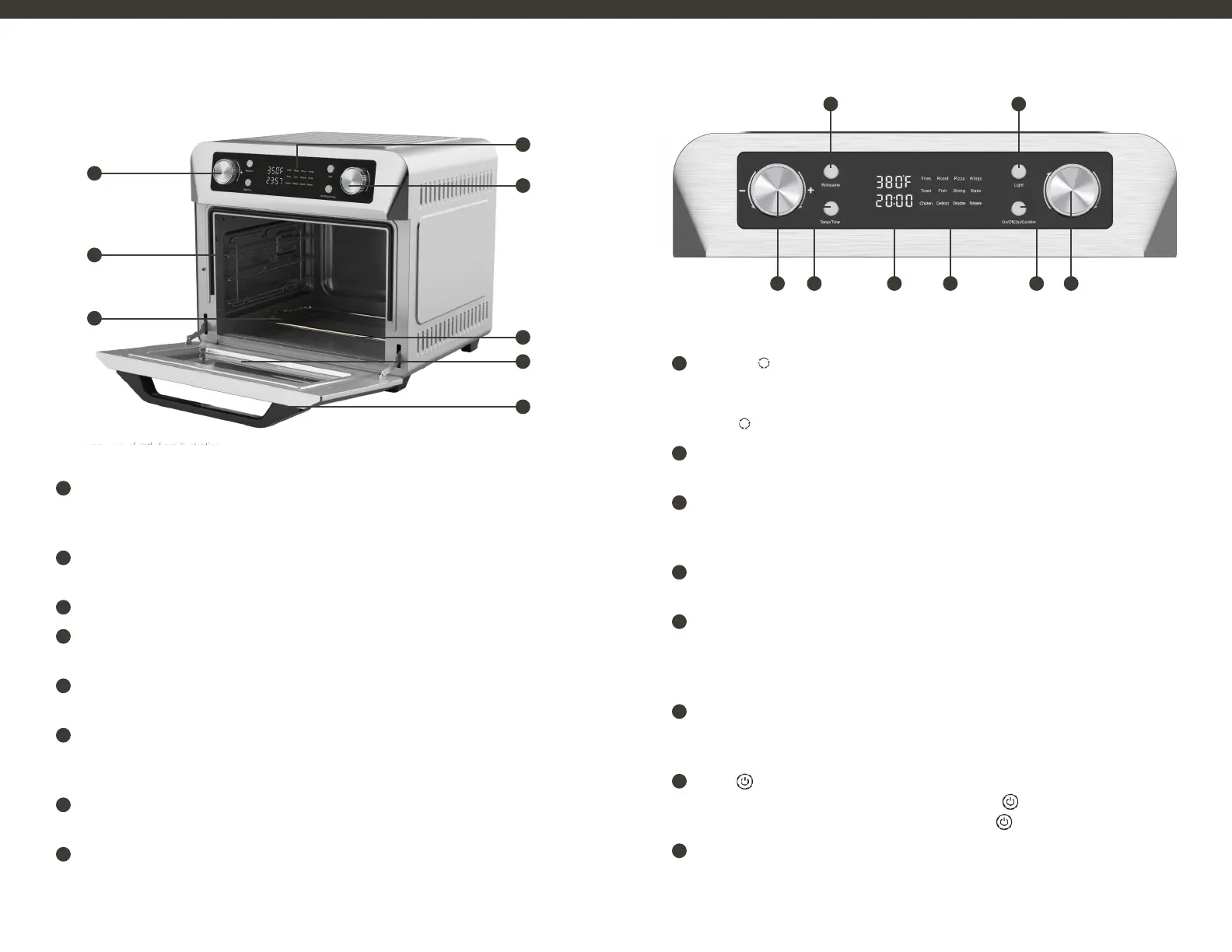
Time and Temperature Control Knob
Rotate the knob to set the cooking temperature and time (temperature adjustment range:
100-450°F, time adjustment range: 1-60min).
2
Inner Cavity
Full aluminized plate inner cavity, easy to clean.
3
Stainless Steel Lower Heating Element
4
Display Panel
Large LED display and intuitive buttons make the unit easy to use.
5
Pre-Set Settings Knob
Rotate the knob to select the menu you need.
6
Pull-Out Crumb Tray
The Crumb Tray comes already positioned in your oven . The tray slides out from the lower front of
the oven to clean.
7
Viewing Window
Large viewing window to check progress.
8
Cool-Touch Handle
Handle designed to stay cool during cooking.
1
Rotisserie ( ) Button
When the food is securely fastened to the rotisserie assembly and the rotisserie bar is securely
in place, press to turn the Rotisserie ON. The rotisserie bar will begin to rotate. Press the
ROTISSERIE ( ) button again to turn rotation OFF.
2
Light Button
To turn on/off the interior oven light, press the light button, turn off automatically after 20 seconds.
3
Time and Temperature Control Knob
Rotate the knob to set the cooking temperature and time (temperature adjustment range:
100-450°F, time adjustment range: 1-60min).
4
Time and Temperature Button
Press the time/temperature button, the time and temperature can be adjusted through the knob.
5
Digital Display
While in operation, the Air Fryer’s set TEMPERATURE and remaining TIME are displayed on the
digital display at the same time. When the time counts down to 00:00, “OFF” will appear and 5
beeps sound as the Air Fryer Appliance turns OFF automatically.
6
12 Pre-Set Menu Icons
To use any of the 12 preset menu options, rotate the knob to select the menu you need (Fries,
Roast, Pizza, Wings, Toast, Fish, Shrimp, Bake, Chicken, Defrost, Dehydrate, Rotisserie).
7
Power ( ) Button
Press the POWER button to turn the appliance ON. Use POWER ( ) button to confirm the
setting. To turn the appliance OFF, press and hold the POWER ( ) button for 3 seconds.
8
Pre-Set Settings Knob
Rotate the knob to select the menu you need.
Product may vary slightly from illustration.
1
2
3
4
5
6
7
8
1 2
3 85 6 74
98


 To Next Page