• Remove the handle tool (I) from the appliance.
• Close the door.
• To switch the rotation function on and off, press the Rotisserie Button ( ).
• After cooking, use the handle tool (I) to remove the accessory (F, G, H).
• Lift the handle tool (I) and the accessory (F, G, H) carefully out of the appliance.
MENU CHART
START COOKING
NOTE: Rotisserie can be used along with the 12 presets or at the default temperature of
400°F for 15 mins. When using the Whole Chicken preset, the rotisserie is automatically turned on.
LIGHT
Press the Light Button ( ) to switch the built-in light on and off.
ROTATION
This function slowly rotates the rotating basket (F), skewers rack (G) or the rotisserie forks (H).
• Open the door. The light in the appliance switches on.
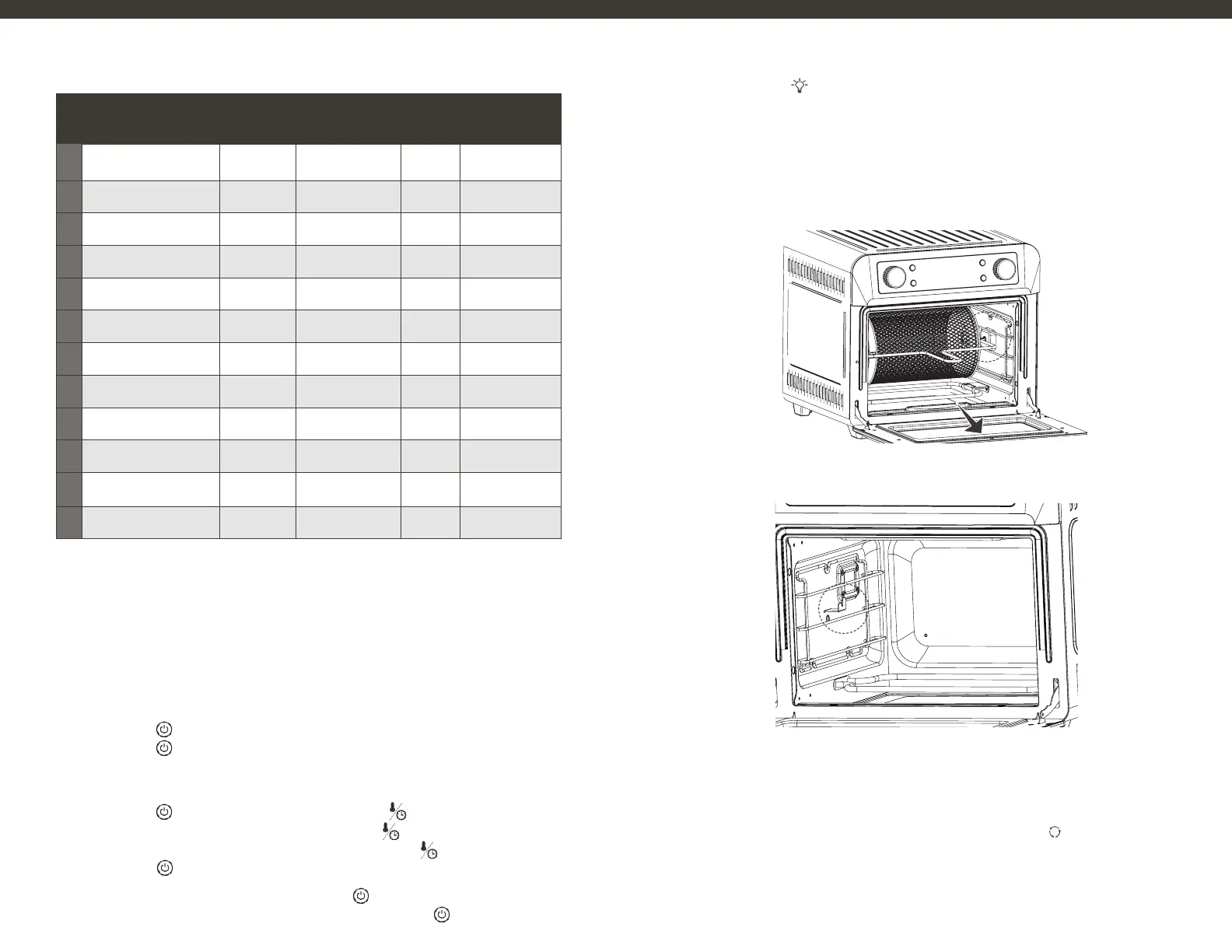
• Using the handle tool (I), place the shaft of the accessory (F, G or H) into the right coupler (fig. 1)
and place the left end on the bracket slot (fig. 2)
CAUTION: RISK OF FIRE! Never use a cooking container filled with cooking oil or other hot liquids
CAUTION: RISK OF BURNS! The product gets hot during and after use. Do not touch hot
surfaces with bare hands. Wear oven mitts during use.
USING PRE-SETS
STEP 1 Put the food on / inside the selected accessory and place it in the appliance.
STEP 2 Press the ( ) button to turn unit “on”, rotate the right knob to select the pre-set you need.
STEP 3 Press the ( ) button to start cooking.
MANUAL USE
STEP 1 Put the food on / inside the selected accessory and place it in the appliance.
STEP 2 Press the ( ) button to turn unit “on”, then press the (
) button.
STEP 3 Rotate the left knob to set the cooking time, and push (
) button to set.
STEP 3 Rotate the left knob again, to set the cooking temp and push (
) button to set.
STEP 4 Press the ( ) button to start cooking.
NOTE: To pause the set time and temperature, press the ( ).
NOTE: To cancel pre-set or the set time and temperature, press and hold ( ) for 3 seconds.
Figure 2
Figure 1
1
2
3
4
5
6
7
8
9
10
11
12
MENU
Fries
Roast
Pizza
Wings
Toast
Fish
Shrimp
Bake
Chicken
Defrost
Dehydrate
Rotisserie
DEFAULT
TEMP (°F)
400
450
350
450
450
350
350
400
400
120
135
450
ADJUSTABLE
TIME (MIN)
1~60
1~60
1~60
1~60
1~10
1~60
1~60
1~60
1~60
1~60
2.5 ~ 24 h
1~40
TIME
(MIN)
18
20
15
20
7
15
8
25
25
5
8h
35
ADJUSTABLE
TEMP (F˚)
100~450
100~450
100~450
100~450
100~450
100~450
100~450
100~450
100~450
100~210
100~210
100~450
1110


 To Next Page